🔴   Live
New school onboarding for 2026–27 academic year.
Reserve Your DEMO Slot →
No More Handwritten Notes or Follow-Up Calls

Apply Leave for Child Digitally


Parents can request leave for their child directly through the app — with instant visibility to teachers and school staff.
school-logo
school-logo
school-logo
school-logo
school-logo
school-logo
school-logo
school-logo
school-logo
school-logo

Leaves Made Simple — for Everyone

From family functions to health reasons, applying for leave shouldn’t be a hassle.

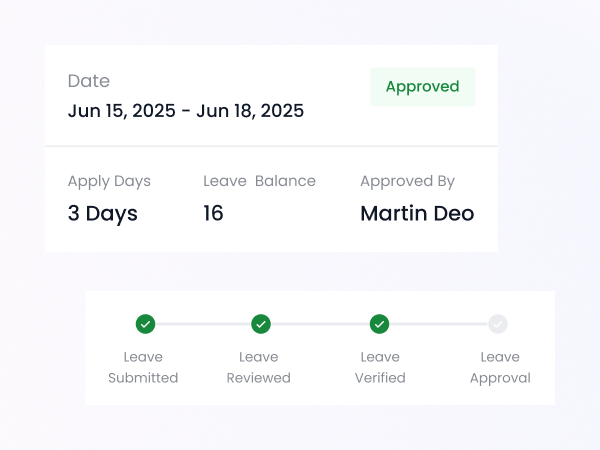
With iSchoolCloud, parents submit leave requests with a few taps, and teachers are notified immediately — no paper notes, no follow-up messages.
📄
Digital Leave Request Form
Submit absence reasons, dates, and details in seconds.
🕒
Real-Time Submission Tracking
See when your request is sent, seen, and accepted.
📬
Instant Teacher Notification
Teachers and coordinators are automatically informed.
🩺
Attach Medical Notes or Documents
Upload images or files when needed.
🧒
Multi-Child Leave Management
Apply for one or more children easily from the same screen.
📆
School Calendar Integration
View events and exams before applying to avoid conflicts.
🔐
Private and Role-Based Access
Only relevant staff see your request.
Leave History Log
Track past requests and their status anytime.
📱
Fully Mobile Friendly
Submit from anywhere — no need to call or visit.

📝 No more sticky notes, forgotten diary entries, or miscommunication.

When your child needs a day off, iSchoolCloud makes it easy.

📲 Just open the app, write the reason, and submit.
❌ No need to wait in line at the office or make early-morning calls.

✅ Leave requests go directly to the class teacher or admin
🔔 You’ll get notified once it’s seen

It’s:

⚡ Fast
🔒 Private
✅ Reliable

Whether it’s for 🤒 health, ✈️ travel, or 👨‍👩‍👧‍👦 family reasons, parents finally have a simple, traceable way to apply — and schools get notified in real time.

🗂️ No lost notes.
📬 No forgotten approvals.
✔️ Just a better way to stay informed and respectful of school processes.


Say goodbye to paper notes and missed approvals.

Smart Leave Requests That Schools Actually See

Everything parents want to know about applying leave online.

Open your parent dashboard, go to ‘Leave Request’, fill in the dates and reason, and tap submit.
Your child’s class teacher and the school admin team will see your request instantly.
You’ll get a notification once the teacher or admin marks it as approved.
Yes — upload files or photos directly while submitting.
You’ll see both profiles and can apply separately for each.
Yes — your leave history is saved and viewable anytime.
Yes — you’ll get a message with the reason or follow-up instructions.
It’s faster, tracked, and doesn’t interrupt staff or require reminders.
If your school supports it, you’ll see the option to select a half-day.
You can cancel or edit your request before it’s processed.
five-rating-star 4.9 5000 Total Reviews

Join Our Inner Circle for Special Perks
A free guide/ebook on educational strategies or technology integration
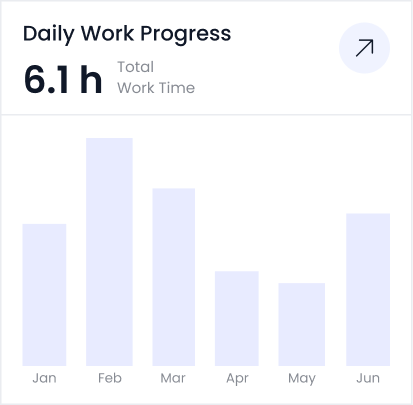
attedance report daily work progress