Project Submission Tracker
Students can view, manage, and track their academic project submissions — with deadlines, feedback, and upload status all in one view.










Long-Term Assignments, Finally Organized
Whether it’s a science model, group presentation, or term-end assignment — iSchoolCloud lets students see what’s due, when to submit, and whether it’s been accepted. No paper chasing. No deadline confusion. Just clarity.
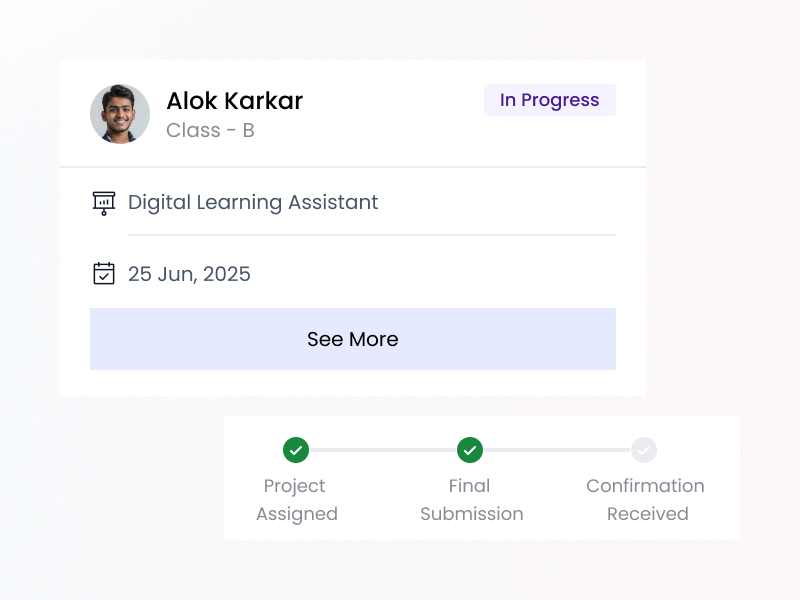
📚 Project work is a huge part of learning — but it often gets lost in the shuffle.
With iSchoolCloud, students no longer rely on memory 🧠 or WhatsApp forwards 📲 to manage academic projects.
🗂️ Everything — from the task description 📝 to the deadline 📅, file upload 📎, and teacher feedback 🧑🏫 — is structured and visible.
✅ Students know what’s due.
✅ Teachers know who submitted.
💬 And if allowed, feedback becomes a quiet loop that helps the student improve.
🔬 Whether it’s a science model, 🗣️ language presentation, or 🎨 art portfolio — the system makes sure it’s all accounted for.
💻 It’s not just digital convenience —
🧘 It’s peace of mind.
No more “Was that due today?” panic
Teachers upload project details — subject, title, due date — which appear in your dashboard.
Yes — if enabled, you can attach your file directly and mark it submitted.
If resubmissions are allowed, you’ll see the “Update Submission” option.
Yes — automated alerts are sent before the due date.
Yes — feedback or grading remarks appear after review.
Absolutely — you’ll have access to past projects and their status.
Some schools allow group tagging — check with your teacher.
If the school allows it, parents can view the project status and feedback.
Only if your school enables project tracking — it may vary by grade.
Yes — full tracking and uploading is supported on all devices.
 4.9 5000 Total Reviews
Join Our Inner Circle for Special Perks

 Trusted by 50000 educational pioneers