School ERP Implementation Timeline: Your Complete 8-12 Week Roadmap for Gujarat Schools
 November 12, 2025

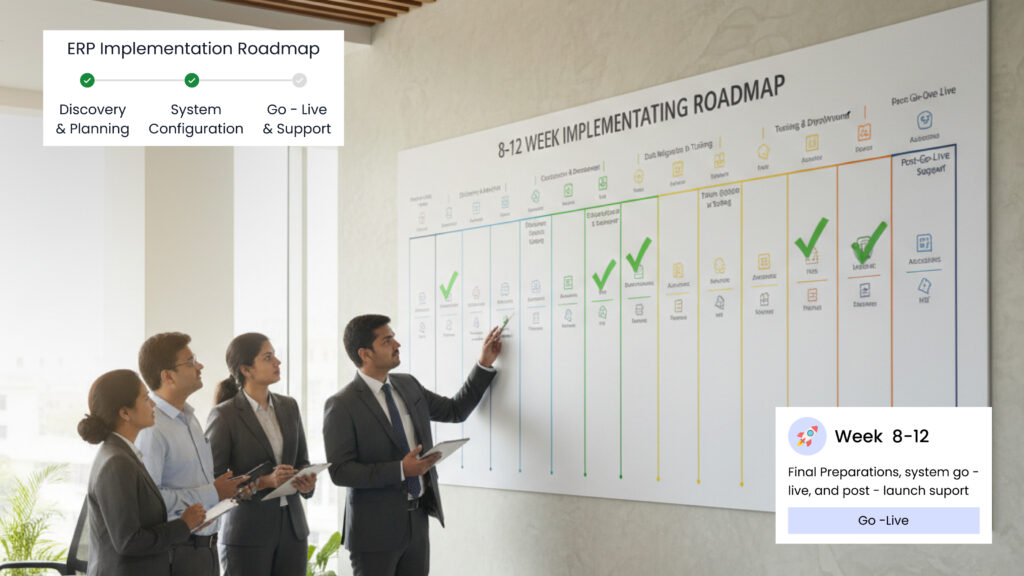
Table of Contents
The complete 8-12 week School ERP implementation roadmap for Gujarat schools—no sales pitches, just honest timelines that work. This week-by-week guide covers planning, infrastructure setup, data migration, staff training, and go-live stabilization. Learn why proper implementation takes longer than vendor promises but delivers systems that actually work for Rajkot schools, with confident staff and satisfied parents.
Last Tuesday, a principal from Rajkot called me, frustrated.
“The software vendor promised two weeks,” she said. “It’s been six weeks now, and we’re still not operational. Teachers maintain double records—paper AND digital. Parents are confused. Was this a terrible mistake?”
Her story isn’t unusual. Across Gujarat, schools hear unrealistic promises about school ERP implementation. Vendors say “Just two weeks!” But the reality? Most successful implementations take 8-12 weeks when done properly.
Here’s the truth: rushing creates more problems than it solves. Schools that succeed follow realistic timelines and prepare properly for each phase.
After helping dozens of Gujarat schools through their digital journey, I’ve created this complete week-by-week school digitization roadmap. This is the honest truth about school software implementation time—no sales pitches, just what actually works.
Why Most Schools Get the Timeline Wrong

Software vendors love talking about speed. “Operational in 10 days!” sounds impressive. But here’s what they don’t mention:
- Days 1-3: Basic software setup (yes, this IS quick)
- Days 4-30: Data migration, staff training, problem-solving (this takes real time)
- Days 31-60: Fixing mistakes, adjusting workflows (the hidden phase)
That “10-day implementation” becomes 60+ days of actual work.
The Hidden Work Nobody Mentions
- School software implementation time isn’t just installing software. It includes:
- Data preparation: Your student records need organization before migration. Messy files? Expect 2-3 weeks cleaning up.
- Staff readiness: Your team needs focused learning time, not lunch-break training sessions.
- Parent preparation: Families need advance notice, clear instructions, and support to adapt.
- Process adjustment: Your school’s unique workflows might need modification during implementation.
The Cost of Rushing
Schools that compress school ERP implementation into unrealistic timeframes face:
- Staff maintains both old and new systems (double work)
- Rushed data migration creates errors taking months to fix
- Overwhelmed employees resist new systems
- Confused families question why changes created problems
One Ahmedabad school tried implementing everything in three weeks. Six months later, they were still fixing problems.
The Realistic School Digitization Roadmap: 8-12 Weeks
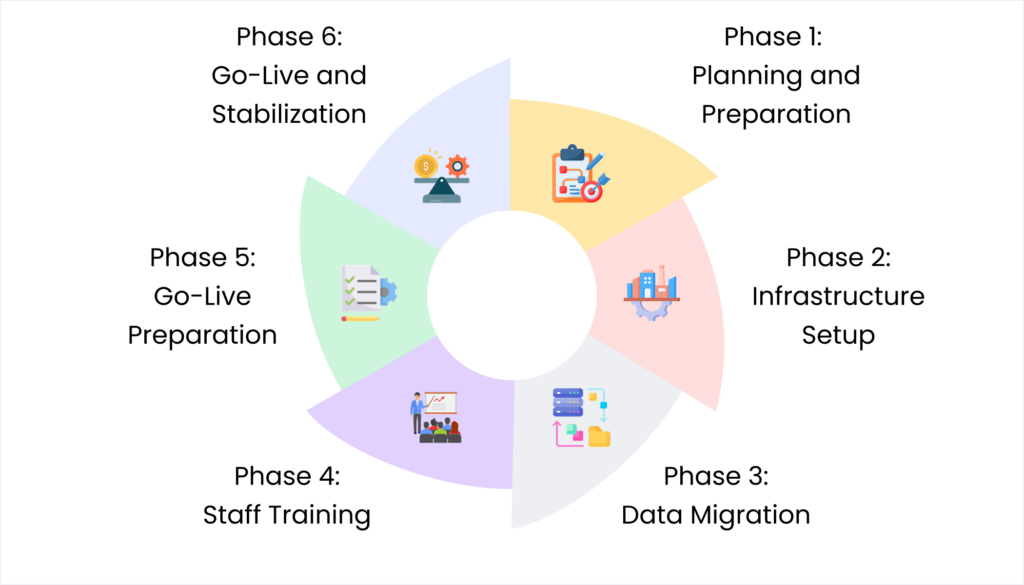
Here’s the honest ERP implementation timeline for Gujarat schools, phase by phase.
Phase 1: Planning and Preparation (Weeks 1-2)
Week 1: Assessment and Goal Setting
Document your current processes:
- How long does attendance take?
- Where do fee records live?
- What communication methods work?
- How quickly can you find student information?
Identify your priorities by asking staff:
- “What takes the longest time that doesn’t help students?”
- “What mistakes happen regularly we could prevent?”
- “What do parents ask about most that we should answer instantly?”
Set clear, measurable goals:
- Reduce attendance processing from 45 to 10 minutes daily
- Answer 90% of parent fee queries instantly
- Send attendance updates same day instead of weekly
Week 2: Team Preparation
Address staff concerns honestly:
- “Can I learn this?” (Yes, with proper training)
- “Will this mean job changes?” (No layoffs, easier work)
- “What if technology fails?” (We’ll have backup plans)
Choose your implementation champions: 2-3 staff members comfortable with technology who can help others.
Finalize software selection based on:
- Staff comfort level
- Realistic budget
- Proper training included
- Works on existing devices
Phase 2: Infrastructure Setup (Weeks 3-4)
Week 3: Technical Preparation
Infrastructure audit:
- Test internet speed (minimum 10 Mbps for under 500 students)
- Verify computer capabilities
- Check smartphone compatibility for parent app
- Assess printer needs
Priority investments for school software setup Gujarat:
- Reliable internet connection (essential)
- Quality computer in main office (essential)
- Receipt printer (essential)
- Backup power supply (recommended)
Week 4: Software Installation
Vendor installs and configures:
- Basic system architecture
- User accounts for staff
- Your fee structure (installments, late fees, discounts)
- Your academic calendar (terms, holidays, exams)
- Your communication preferences (SMS, app, both)
Test critical functions with sample data:
- Add a student and mark attendance
- Process fee payment and generate receipt
- Send test notification to parents
Phase 3: Data Migration (Weeks 5-6)
Week 5: Data Cleanup
Organize existing records:
- Gather admission forms
- Collect fee payment records
- Compile attendance registers
- Organize exam results
Fix common issues before migration:
- Standardize student name spellings
- Verify parent contact numbers
- Complete missing information
- Remove duplicate records
Real example: A Rajkot school discovered 47 students with different name spellings across registers. Cleaning this up before migration saved weeks of problems.
Week 6: Actual Migration
Migrate current academic year data:
- Active student profiles
- Current fee balances
- This year’s attendance records
- Ongoing examination data
Verify data accuracy:
- Complete student profiles
- Fee balances match accounting records
- Parent contact numbers working
- Test reports generate correctly
Parallel Operations Begin: From Week 6, maintain both old and new systems temporarily. This safety net builds confidence and catches errors.
Phase 4: Staff Training (Weeks 7-8)
Week 7: Core Staff Training
Office staff learn daily tasks:
- Student admission and profile management
- Attendance marking and corrections
- Fee collection and receipt generation
- Parent communication
Training format that works:
- Morning: Learn one function
- Afternoon: Practice with real scenarios
- Next day: Review and troubleshoot
Teacher training focuses on classroom needs:
- Quick attendance marking (under 2 minutes)
- Homework assignment posting
- Grade entry for examinations
- Individual parent communication
Keep it simple: Teachers only need functions they’ll use daily.
Week 8: Advanced Training
Practice real situations:
- New student admission mid-term
- Partial fee payments with late fees
- Correcting attendance mistakes
- Managing parent complaints
Your implementation champions help by:
- Providing one-on-one support
- Answering questions during work
- Encouraging reluctant team members
Prepare parent education materials:
- One-page guide for checking attendance
- Step-by-step fee payment instructions
- SMS notification samples
- Helpline contact for questions
Phase 5: Go-Live Preparation (Week 9)
Days 1-2: System Testing
Complete end-to-end testing:
- Process complete student admission
- Handle complex fee scenario
- Mark attendance and verify parent notifications
- Generate required reports
Fix any issues discovered—don’t launch with known problems.
Days 3-4: Parent Communication
Send clear, simple information:
“Starting Monday, you’ll receive daily attendance updates via SMS. You can check your child’s fee status anytime through the parent portal.
These improvements help us serve you better. If you have questions, call the office or visit. We’re here to help.”
Day 5: Final Staff Briefing
Review with team:
- Launch day schedule
- Backup plans if technology fails
- Support contacts readily available
- Celebration plan for successful launch
Phase 6: Go-Live and Stabilization (Weeks 10-12)
Week 10: Launch Week
Day 1: Launch Day
- Staff arrive early to test systems
- Vendor support on standby
- Champions available for help
- Normal operations with close monitoring
Expected reality: Some things will go wrong. That’s normal. Having support ready makes the difference.
Days 2-5: Immediate adjustments
- Address technical glitches quickly
- Support staff encountering difficulties
- Answer parent questions promptly
Week 11: Optimization
Focus on improvement:
- Identify recurring problems and solve them
- Gather staff feedback
- Monitor parent response
- Adjust workflows for efficiency
Week 12: Stabilization
By now, things feel normal:
- Staff comfortable with daily operations
- Parents adapted to new communication
- Most technical issues resolved
End-of-week assessment:
- Compare current performance to Week 1 goals
- Measure time savings and efficiency improvements
- Gather staff and parent satisfaction feedback
Common Bottlenecks and Solutions
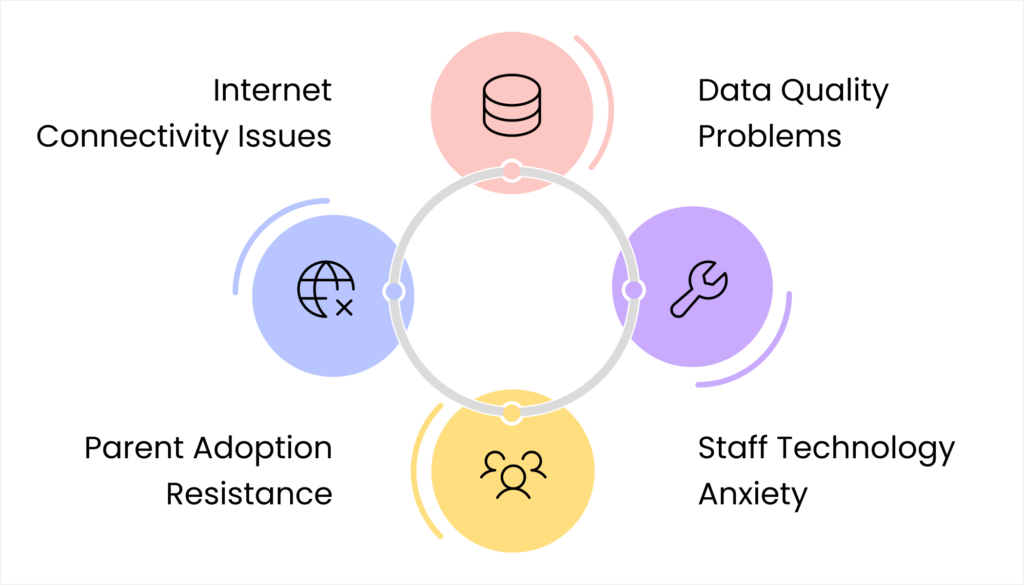
Bottleneck #1: Data Quality Problems
Problem: Messy existing records delay migration
Solution: Allocate extra time in Weeks 5-6 for cleanup. Consider hiring temporary help.
Bottleneck #2: Staff Technology Anxiety
Problem: Team members fear they can’t learn
Solution: Extra one-on-one training. Pair with champions for patient support.
Bottleneck #3: Parent Adoption Resistance
Problem: Families prefer familiar methods
Solution: Continue old methods temporarily while encouraging new ones.
Bottleneck #4: Internet Connectivity Issues
Problem: Unreliable internet disrupts operations
Solution: Invest in backup internet. Choose software with offline capabilities.
Resource Requirements

Time Investment
- School leadership: 4-6 hours weekly
- Office staff: 10-15 hours weekly during training
- Teachers: 5-8 hours total for training
- IT support: 15-20 hours total
Financial Investment
Small schools (under 300 students):
- Software setup: ₹30,000-50,000
- Training: ₹10,000-20,000
- Infrastructure upgrades: ₹15,000-30,000
- Total: ₹55,000-1 lakh
Medium schools (300-700 students):
- Software setup: ₹50,000-1 lakh
- Training: ₹20,000-40,000
- Infrastructure upgrades: ₹25,000-50,000
- Total: ₹95,000-1.9 lakhs
The Parallel Operations Period

For 3-4 weeks, maintain both paper and digital systems. This means:
- Teachers mark attendance both ways
- Office generates receipts both ways
- Parents receive both paper and digital notices
Yes, this is extra work. But it’s temporary and crucial for success.
Why It’s Essential
The parallel period provides:
- Confidence building: Staff see digital matches paper
- Error catching: Mistakes discovered before abandoning backup
- Parent transition: Families adapt gradually
- Risk reduction: If technology fails, you have backup
End parallel systems when:
- Staff performs digital tasks automatically
- Error rates match or beat paper records
- Parents respond reliably to digital communications
- You haven’t needed paper backup for a week
Usually around Week 13-14 of total digital school implementation.
Measuring Success
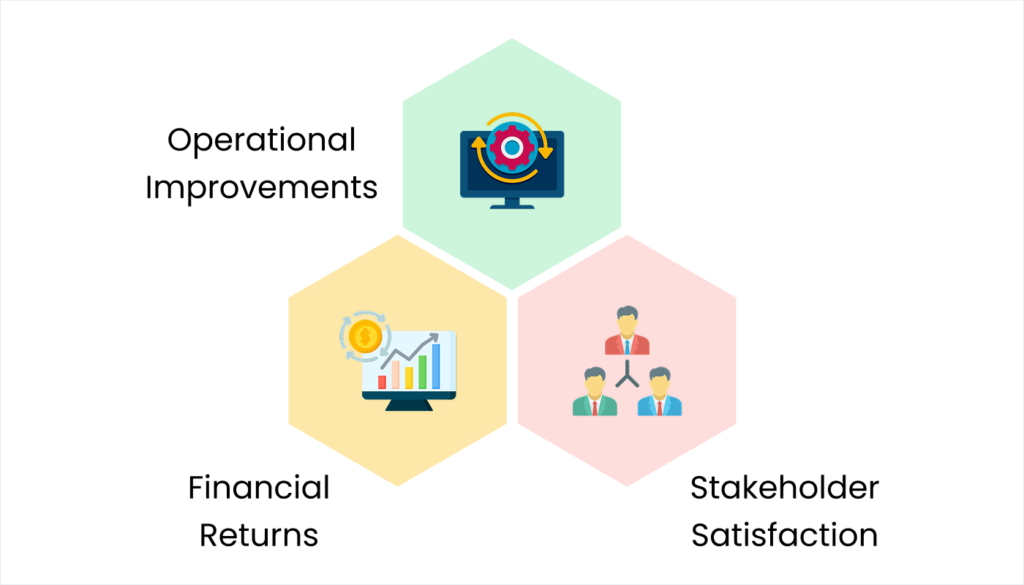
After 12 weeks of school ERP implementation, you should see:
Operational Improvements
- Attendance processing: 60-70% time reduction
- Fee query response: Instant instead of delayed
- Report generation: 80% faster
- Parent communication: Automatic instead of manual
Stakeholder Satisfaction
Staff feedback:
- “It’s actually easier than the old way”
- “I have more time for students now”
Parent responses:
- Fewer phone calls asking basic questions
- Positive comments about communication
- Appreciation for instant information
Financial Returns
- 40-60% reduction in administrative overhead
- Improved fee collection (5-15% faster payments)
- Reduced overtime costs
- Better budget planning
ROI typically achieved within 8-15 months.
Why the 8-12 Week Timeline Works
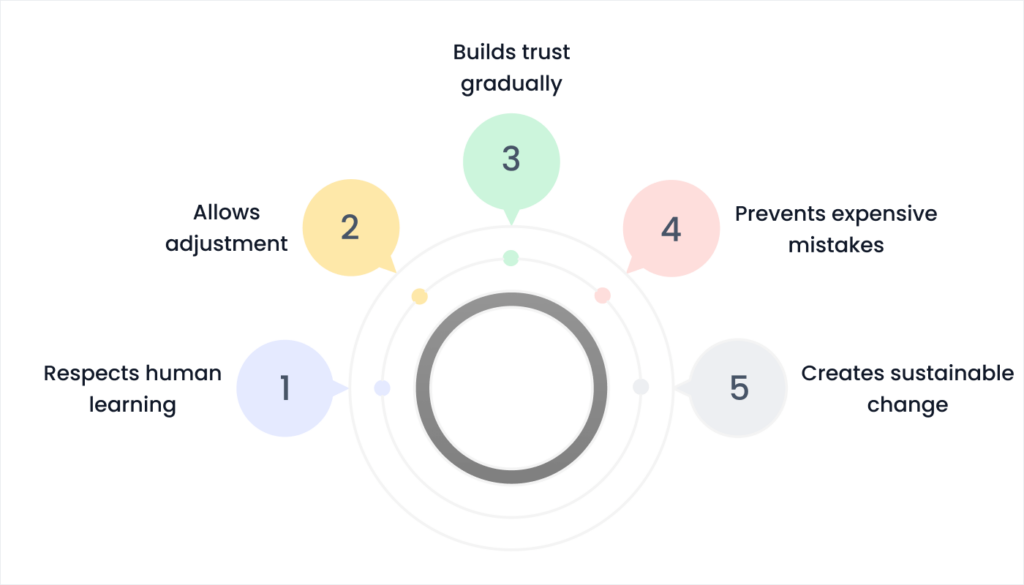
This realistic approach to digital school implementation succeeds because it:
- Respects human learning: People need time to build confidence
- Allows adjustment: Every school is unique
- Builds trust gradually: Staff and parents see things working reliably
- Prevents expensive mistakes: Proper planning catches problems early
- Creates sustainable change: Thoughtful implementation creates lasting improvement
Your School’s Next Steps
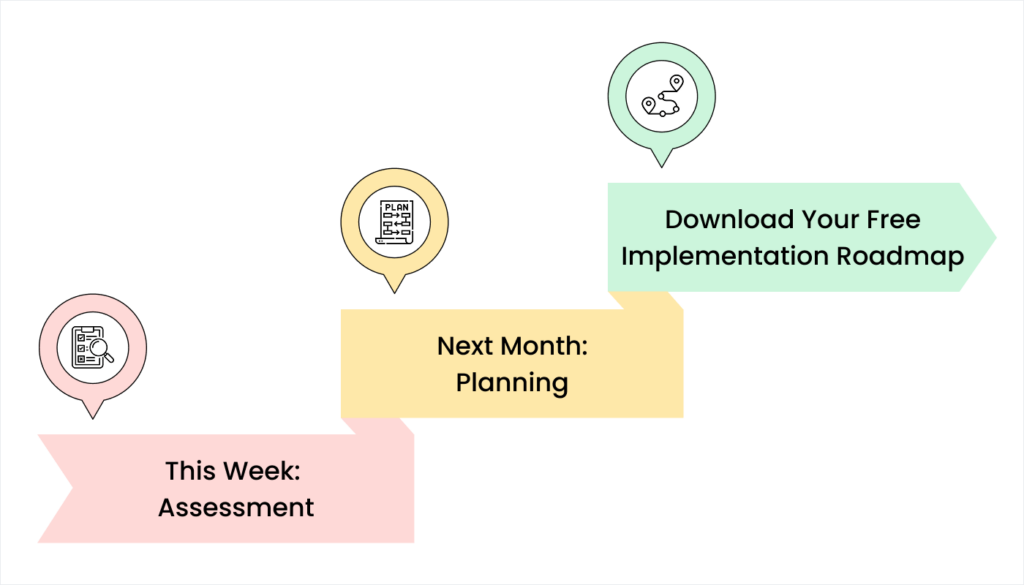
This Week: Assessment
□ Document current processes
□ Identify 3-5 pain points
□ Set measurable goals
□ Review this ERP implementation timeline with staff
□ Begin researching software options
Next Month: Planning
□ Choose software vendor carefully
□ Assess infrastructure needs
□ Identify implementation champions
□ Create detailed schedule
□ Allocate proper budget and time
Download Your Free Implementation Roadmap
We’ve created a detailed Gantt chart template showing exact week-by-week breakdown with:
- Specific tasks for each day
- Resource requirements
- Checkpoint milestones
- Common problem solutions
[Contact us to receive your customized school digitization roadmap for Gujarat schools]
The Truth About Timelines

Here’s what successful schools understand: school software implementation time isn’t about how fast you install software. It’s about how quickly humans adapt to better working methods.
Vendors promising “operational in two weeks” sell software installation, not successful implementation. There’s a massive difference.
Schools taking 8-12 weeks for proper school software setup Gujarat end up with:
- Staff who use systems confidently
- Parents who appreciate improvements
- Administrators who see real benefits
- Students who benefit from better operations
Schools that rush end up with:
- Frustrated staff maintaining double systems
- Confused parents questioning decisions
- Wasted money on unused software
- Reputational damage from failed technology
Your School’s Digital Future

Eight to twelve weeks might seem long when you’re frustrated with current inefficiencies. But it’s far shorter than months or years of problems created by rushed implementation.
Your school deserves a digital system that actually works, staff who confidently use new tools, and parents who appreciate improved service.
Ready to start your school’s successful implementation journey?
We specialize in helping Gujarat schools navigate School ERP implementation with honest timelines and practical support. From assessment through go-live and beyond, we understand what actually works.
Contact us today for a personalized consultation about your school’s digital roadmap. Let’s plan an implementation that succeeds because it respects reality, not sales promises.


 4.9 5000 Total Reviews
Join Our Inner Circle for Special Perks

 Trusted by 50000 educational pioneers