School Software Training Guide: How to Successfully Onboard 50+ Teachers in Just 2 Weeks
 November 20, 2025

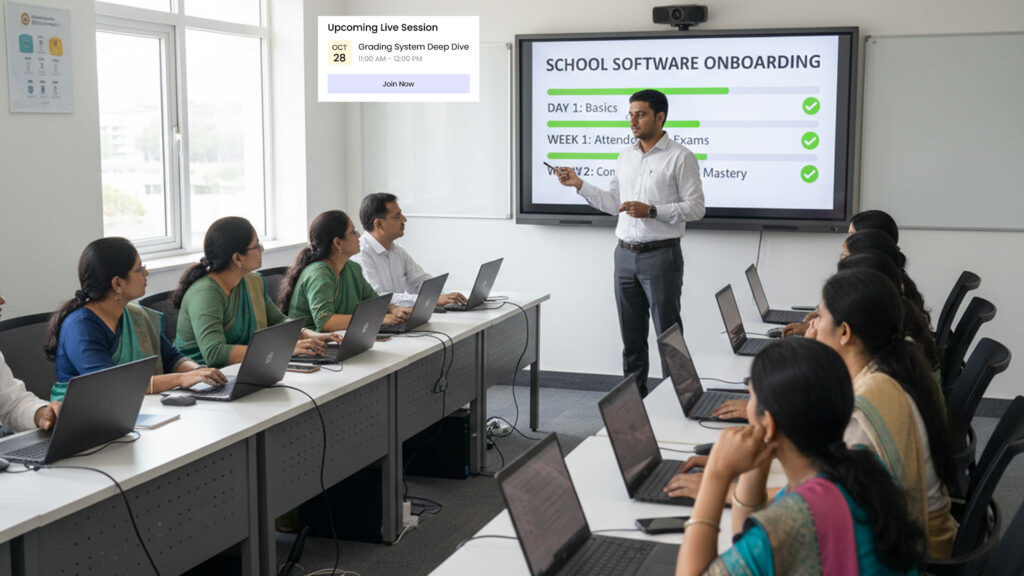
Table of Contents
Getting 50+ teachers to actually use your new school software training doesn’t require months of struggle. This step-by-step guide shows exactly how successful Rajkot schools train their entire staff in just 2 weeks using role-based groups, buddy systems, and hands-on practice. Includes complete training schedules, assessment methods, and proven techniques from real Gujarat school implementations.
Last month, Principal Mehta from a school in Rajkot called me, panic clear in her voice.
“We bought this expensive school ERP system three months ago,” she said. “The vendor did a two-hour demo, handed us some manuals, and left. Now half my teachers refuse to touch it, and the other half are making so many mistakes that we’re back to using paper registers.”
She’d spent ₹2.5 lakhs on software that was gathering digital dust.
Sound familiar?
Here’s the uncomfortable truth about school software training that vendors rarely mention: buying the software is the easy part. Getting 50+ teachers to actually use it correctly and consistently? That’s where most Gujarat schools fail.
But it doesn’t have to be this way.
After helping dozens of schools across Gujarat successfully train their teaching staff, I’ve learned what actually works. This isn’t theory from some corporate training manual – it’s practical wisdom from real schools that managed to get entire faculties comfortable with new systems in just two weeks.
Today, I’m sharing the exact approach that turns skeptical, overwhelmed teachers into confident system users who wonder how they ever managed without digital tools.
Why Most School Software Training Fails Miserably
Before we talk about what works, let’s understand why training typically goes wrong in Indian schools.
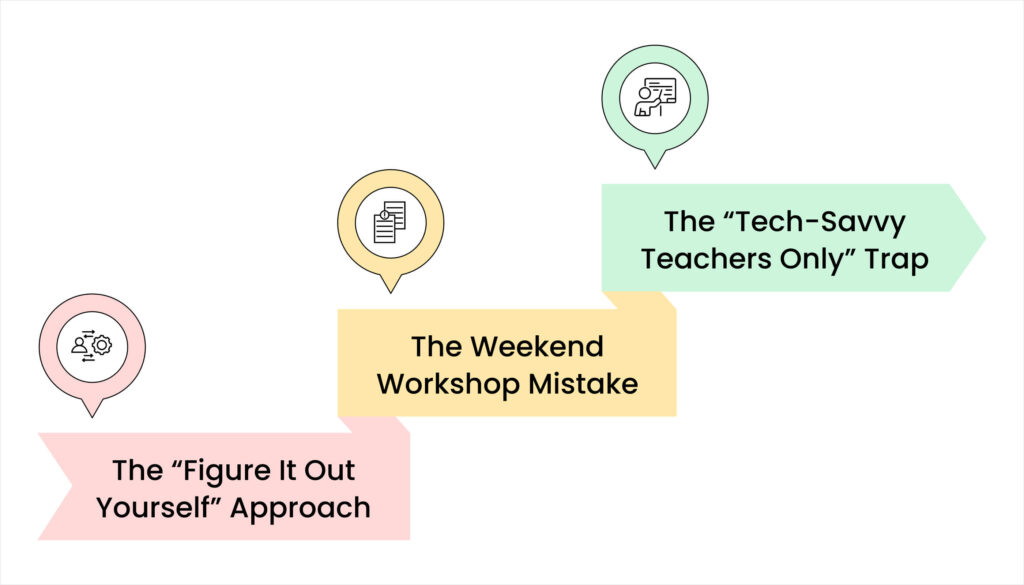
The “Figure It Out Yourself” Approach
Many software vendors provide minimal training:
- One two-hour demo for the whole staff
- A 100-page manual nobody reads
- Generic video tutorials designed for schools anywhere in the world
- Phone support “if you have questions”
Then they expect 50+ teachers of varying ages and technology comfort levels to somehow become experts on their own.
Reality check: This approach fails 80% of the time.
The Weekend Workshop Mistake
Some schools try cramming everything into a weekend training session:
Saturday: 6 hours covering every feature Sunday: 4 hours of “practice time” Monday: “Okay, everyone start using it!”
Teachers leave feeling overwhelmed, remember about 20% of what was covered, and resort to their familiar paper methods by Tuesday afternoon.
The “Tech-Savvy Teachers Only” Trap
A few schools assign one or two technically confident teachers to learn the system, hoping they’ll help others.
This creates:
- Bottlenecks when multiple teachers need help simultaneously
- Resentment from tech-savvy teachers doing extra unpaid work
- Dependency that delays full adoption
- Continued resistance from teachers who never learned properly
The Two-Week Training Model That Actually Works

After studying successful implementations across Gujarat, here’s the proven approach:
Week 1: Foundation Building (Role-Based Groups)
Instead of training everyone on everything, split your teachers into role-based groups. Not everyone needs to know everything on day one.
Morning Schedule (8:00 AM – 10:00 AM)
Day 1-2: Class Teachers Group Focus: Daily essentials they’ll use immediately
- Marking attendance (practice with real class lists)
- Recording homework assignments
- Basic student information access
- Parent communication basics
Day 3-4: Subject Teachers Group
Focus: Grade and assessment tools
- Entering exam marks
- Generating progress reports
- Tracking student performance
- Managing assignment submissions
Day 5: Administrative Staff Focus: Fee and admission management
- Processing fee payments
- Generating receipts
- Admission record management
- Report generation for management
Afternoon Sessions (2:00 PM – 4:00 PM)
All groups practice morning lessons with hands-on exercises using actual school data. Your training coordinator circulates, answering questions and solving problems in real-time.
Week 2: Advanced Features and Confidence Building
Morning Schedule (8:00 AM – 10:00 AM)
Day 6-7: All Teachers Together
- Features everyone needs (announcements, schedules, leaves)
- Common mistake prevention
- Troubleshooting basics
- Support system introduction
Day 8-9: Department-Specific Sessions
- Primary teachers: Age-appropriate features
- Secondary teachers: Advanced grading options
- Activity coordinators: Event management tools
Day 10: Practice Day Entire staff practices full workflows:
- Morning routine simulation
- Exam day procedures
- Parent meeting preparation
- Month-end reporting
Afternoon Sessions Continue: Individual doubt-clearing, one-on-one help for struggling teachers, and advanced tips for quick learners.
The Complete Training Materials Checklist
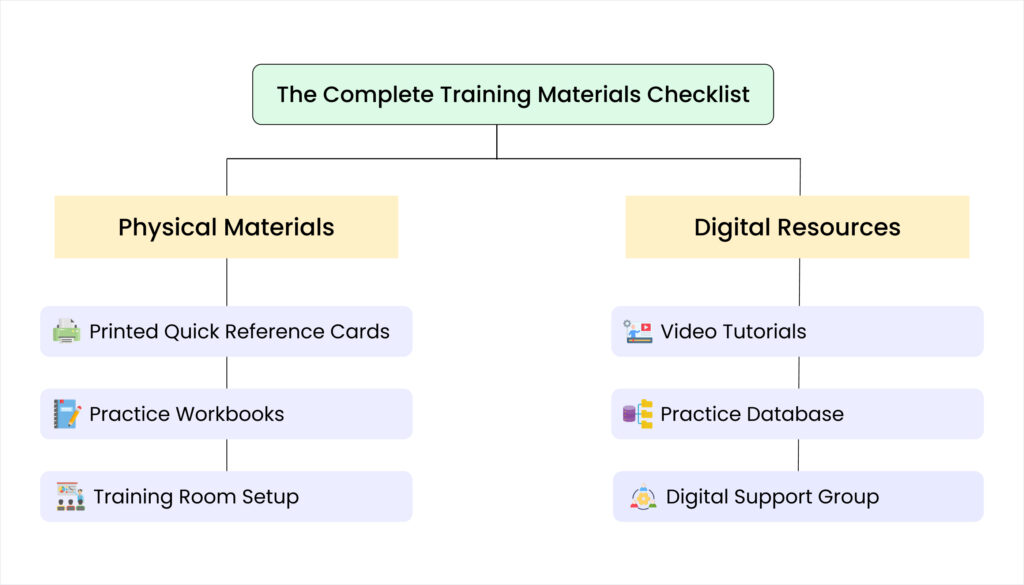
Proper school software training requires preparation. Here’s everything successful schools prepare before training starts:
Physical Materials
✓ Printed Quick Reference Cards (one per teacher)
- Login instructions with screenshots
- 5 most common tasks step-by-step
- Troubleshooting guide for typical problems
- Support contact information
✓ Practice Workbooks
- Sample exercises matching real school scenarios
- Step-by-step guided activities
- Self-assessment checklists
- Space for notes and questions
✓ Training Room Setup
- One computer per 2-3 teachers (pair learning works better)
- Projector showing instructor’s screen
- Printed attendance sheets
- Feedback forms for each session
Digital Resources
✓ Video Tutorials (10-15 minutes each)
- Recorded in Hindi/Gujarati or bilingual
- Covers one specific task per video
- Shows common mistakes and solutions
- Available for teachers to rewatch anytime
✓ Practice Database
- Sample student data that teachers can’t break
- Allows unlimited practice without affecting real records
- Reset daily so everyone starts fresh
✓ Digital Support Group
- WhatsApp group for quick questions
- Google Drive folder with all training materials
- Shared document for tracking common issues
Hands-On Practice Sessions: The Secret Sauce
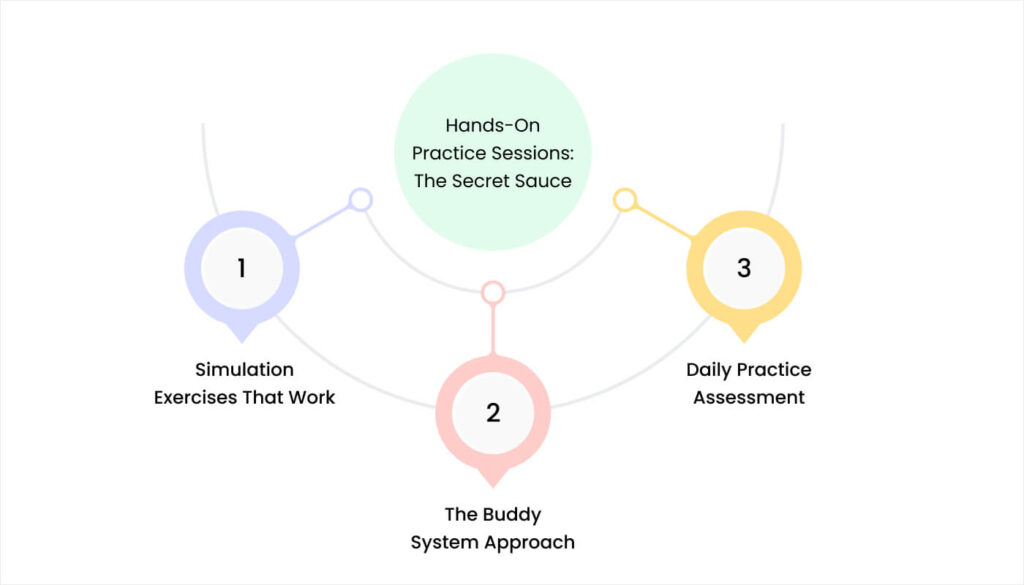
Teacher training school ERP systems succeeds when practice feels real, not theoretical.
Simulation Exercises That Work
- Scenario 1: Monday Morning Routine “It’s 8:15 AM. Students are entering. Practice marking attendance for your actual class within 3 minutes, just like you will tomorrow.”
- Scenario 2: Parent Communication “Rahul’s mother called asking if he submitted yesterday’s homework. Use the system to check and respond to her via the parent app.”
- Scenario 3: Exam Results Entry “Enter these 10 sample math test scores, calculate percentages, and generate a class performance summary.”
- Scenario 4: Problem Solving “You marked Priya absent by mistake. She was actually present. Fix this error and ensure the parent doesn’t receive a wrong absence notification.”
The Buddy System Approach
Pair teachers strategically for practice sessions:
- Tech-comfortable teacher + Less confident teacher
- Same grade level teachers together
- Teachers with different subject specializations
Buddies help each other during practice, creating mutual support that continues after formal training ends.
Daily Practice Assessment
End each training day with a 10-minute practical test:
“Complete these 3 tasks without looking at your reference materials.”
Teachers who struggle get extra attention the next day. Teachers who excel become assistant trainers for their colleagues.
Ongoing Support Setup: The First 30 Days

School software training doesn’t end when formal sessions finish. The first month of actual use determines long-term success.
Three-Tier Support System
Tier 1: Department Champions (Immediate Help)
- One confident teacher per department
- Available during school hours for quick questions
- 15-minute response time target
- Handles 70% of routine questions
Tier 2: School Training Coordinator (Complex Issues)
- Usually a senior teacher or admin staff member
- Handles problems department champions can’t solve
- 2-hour response time target
- Escalates technical issues to vendor
Tier 3: Vendor Support (Technical Problems)
- Vendor’s support team
- Handles system bugs and technical issues
- 24-hour response time target
- Provides software updates and improvements
Daily Check-Ins (First Two Weeks)
Morning Brief (8:00 AM, 10 minutes) Quick review of any overnight issues and reminders about today’s key tasks.
Afternoon Debrief (3:30 PM, 15 minutes) “What worked today? What problems did you face? What help do you need tomorrow?”
Weekly Progress Reviews (First Month)
Every Friday afternoon:
- Review usage statistics (who’s using the system, who isn’t)
- Address common problems multiple teachers face
- Celebrate successes and quick learners
- Adjust support based on actual needs
Summer Break Training Advantage: Why Timing Matters
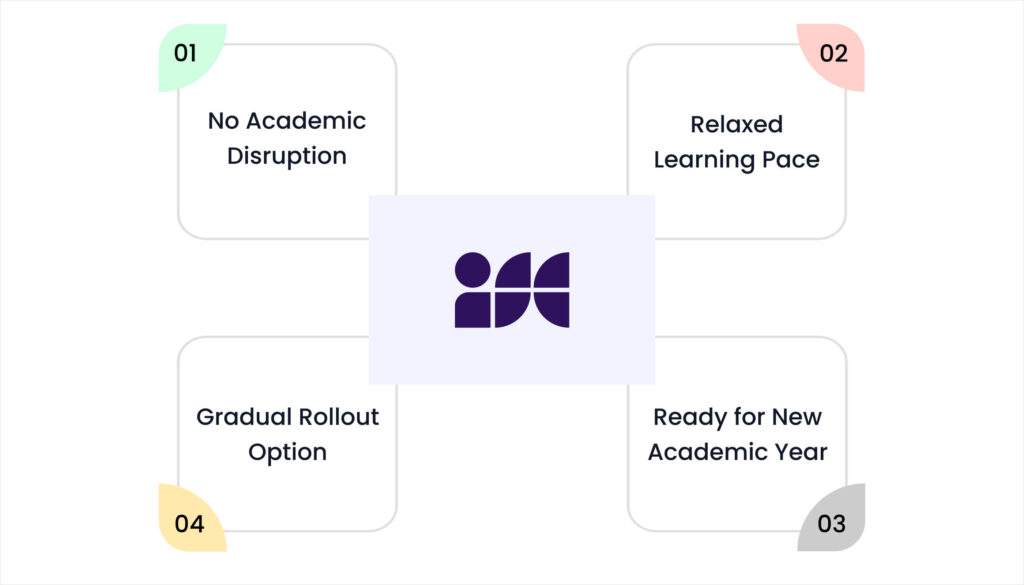
Many successful Gujarat schools schedule their school software training during summer vacation. Here’s why this timing works brilliantly:
No Academic Disruption
Teachers can focus completely on learning without worrying about:
- Missing classes
- Student discipline issues
- Regular teaching responsibilities
- Parent meetings or events
Relaxed Learning Pace
Summer training allows:
- Longer practice sessions without rushing
- Time to make mistakes and learn from them
- Opportunity to repeat exercises until comfortable
- Mental space to absorb new information
Ready for New Academic Year
When school reopens:
- Systems are already in place and working
- Teachers start the year confident with digital tools
- Students benefit from efficient processes from day one
- Parents experience improved communication immediately
Gradual Rollout Option
Summer allows phased implementation:
June: Core administrative features (attendance, communication) July: Academic features (grading, assignments)August: Advanced features (analytics, special programs)
By September, the entire system operates smoothly.
Post-Training Success: The First 90 Days
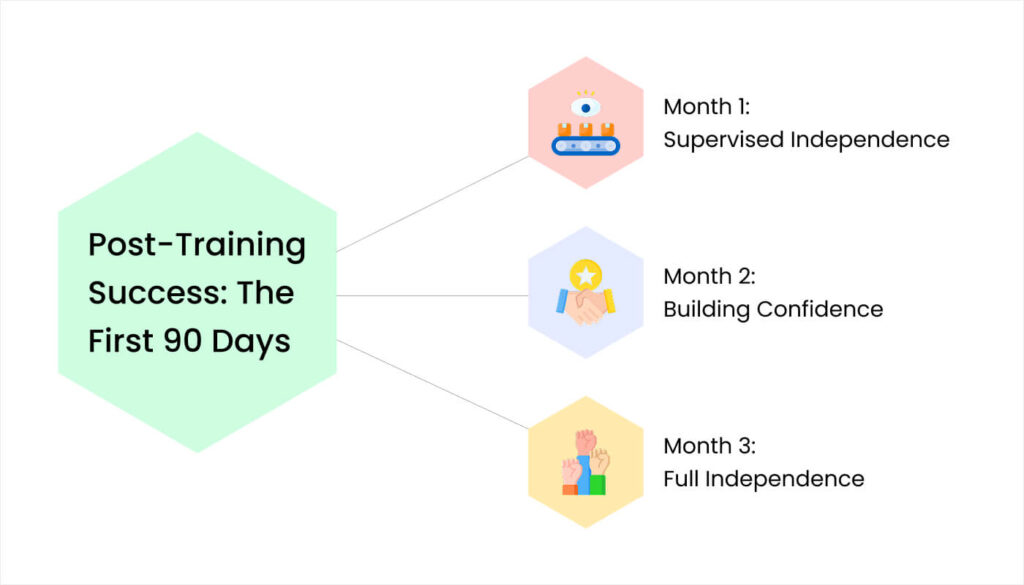
The first three months after school software training determines whether your investment succeeds or becomes expensive digital shelf-ware.
Month 1: Supervised Independence
- Daily support available: Training coordinator physically present during critical times (morning attendance, afternoon departure)
- Weekly mini-trainings: 30-minute sessions on most-requested features or common mistakes
- Success tracking: Monitor usage statistics – who’s using the system regularly, who’s avoiding it
Month 2: Building Confidence
- Reduce direct support: Available on-call rather than physically present all day
- Peer teaching: Confident users start informally helping colleagues
- Advanced features introduction: Optional sessions for interested teachers
Month 3: Full Independence
- Minimal intervention needed: Teachers operate independently
- Focus shifts: From basic usage to optimization and efficiency improvements
- Celebrate success: Recognize teachers who’ve mastered the system and those who help others.
The Transformation Waiting for Your School

When I followed up with Principal Mehta three months after helping her implement proper school software training, her relief was palpable.
“I can’t believe we wasted three months with that useless demo training,” she said. “After doing it properly, my teachers actually prefer the digital system now. Nobody wants to go back to registers.”
Her school’s experience isn’t unique. Every Gujarat school that invests in proper, systematic training sees similar results:
- Teachers who were skeptical become advocates
- Administrative efficiency improves dramatically
- Parent communication becomes effortless
- The software investment finally delivers promised returns
The difference between success and failure isn’t the software you buy – it’s how thoroughly you train your people to use it.
Getting Expert Help with Training
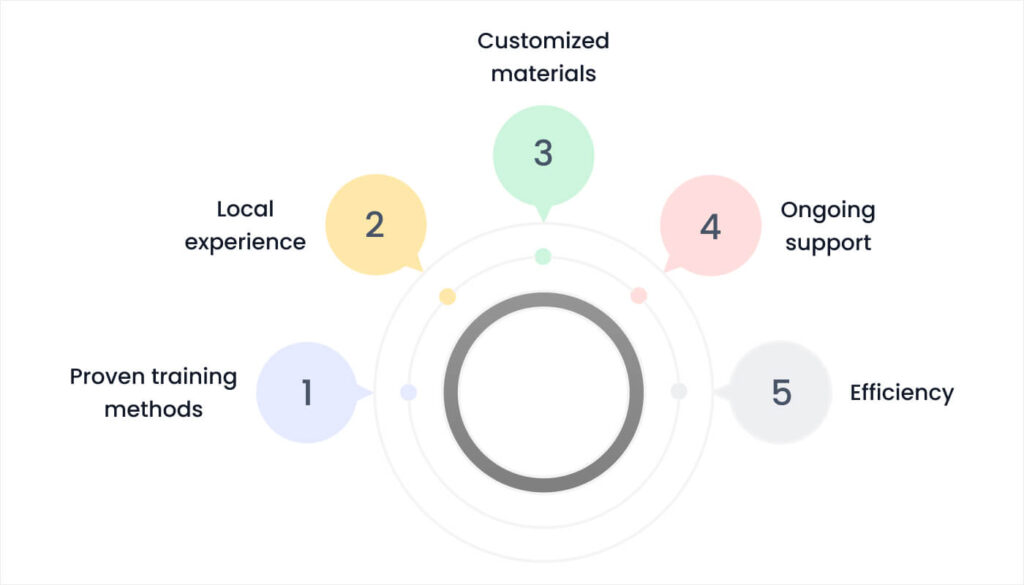
Many Gujarat schools benefit from professional training support, especially for their first implementation. Expert trainers bring with iSchoolCloud system:
- Proven training methods: Based on hundreds of successful implementations
- Local experience: Understanding of Gujarat schools’ unique needs
- Customized materials: Training adapted to your specific software and school
- Ongoing support: Help beyond the initial training period
- Efficiency: Two weeks of expert training vs. months of fumbling alone
Ready to Transform Your Teacher Training?

Don’t let your school software investment go to waste like so many others. Proper training is the difference between digital transformation and expensive frustration.
We specialize in comprehensive school software training for Gujarat institutions. Our proven two-week program has helped schools across Rajkot, Ahmedabad, and Surat successfully onboard their entire teaching staff.
Contact us today to discuss:
- Customized training programs for your school’s size and needs
- Summer vacation training schedules
- Complete training materials and support systems
- Post-training support to ensure long-term success
Your teachers deserve training that actually works. Your school deserves technology that delivers results.
Let’s make your digital transformation a success story, not another cautionary tale.


 4.9 5000 Total Reviews
Join Our Inner Circle for Special Perks

 Trusted by 50000 educational pioneers