πŸ”΄   Live
New school onboarding for 2026–27 academic year.
Reserve Your DEMO Slot β†’
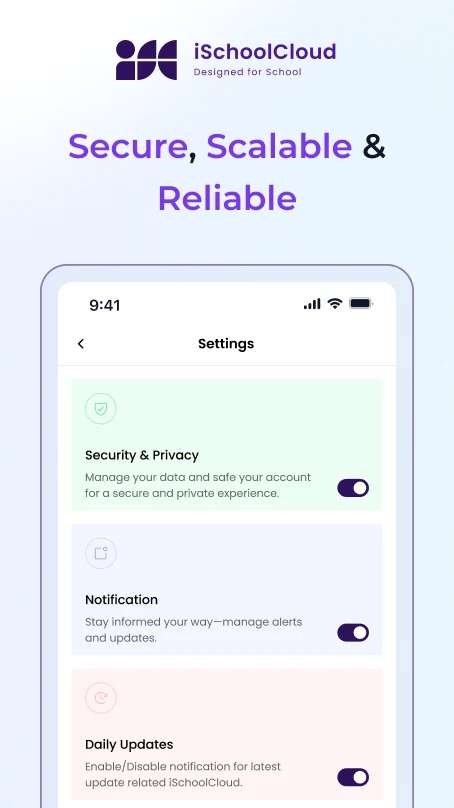
Protect Your School’s Data

Internal Audit Logs and Backup Systems

Track every action, secure every record β€” stay safe, smart, and audit-ready.
school-logo
school-logo
school-logo
school-logo
school-logo
school-logo
school-logo
school-logo
school-logo
school-logo

Know What Happened. Be Ready if Anything Goes Wrong.

Every click, every change, every entry β€” iSchoolCloud logs it all.

Whether it’s a staff member editing student info, or an admin updating a fee record, you have full visibility.

And with automatic backups running in the background, your school’s data is never lost β€” even if devices crash or people make mistakes.
πŸ”
Full Activity Logs
See who did what, when β€” across staff, admin, and department users.
πŸ“‹
Filterable Change History
Track edits by module (student, fee, exam, attendance) and by user.
πŸ”
Role-Based Log Access
Only authorized roles can view or audit internal logs β€” by design.
πŸ“…
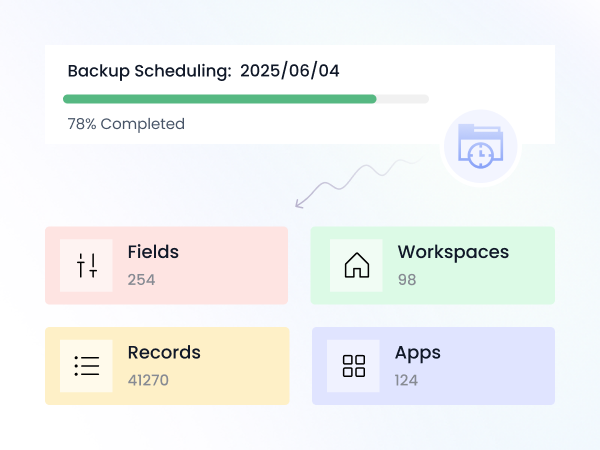
Auto Backup Scheduling
Choose daily, weekly, or session-end backups with cloud-safe storage.
πŸ—ƒοΈ
Secure Cloud Storage
Backups saved in encrypted, high-uptime infrastructure.
βͺ
Version Rollbacks
Restore previous versions of key datasets or uploaded files.
🧾
Downloadable Log Reports
Generate PDFs or Excel exports of audit logs β€” useful for trust review or school board queries.
πŸ“€
Offline Backup Option
Export entire datasets for offline or external storage β€” fully encrypted.
🚨
Tamper-Detection Alerts
Be notified if someone tries to bypass, modify, or erase logs improperly.

🏫 Every school has two priorities:

protect what’s working βœ…, and be ready when something doesn’t ⚠️.

With iSchoolCloud’s Internal Audit Logs πŸ—‚οΈ and Backup Systems πŸ’Ύ, you can do both β€” without needing a tech team πŸ‘¨β€πŸ’» or external software 🧩.

πŸ“ Every action inside the platform is logged. From who marked attendance πŸ§‘β€πŸ« to who edited fee settings πŸ’Έ β€” it’s all tracked πŸ“, time-stamped ⏱️, and easy to review πŸ‘€.

This isn’t just helpful for trust reviews πŸ‘” or principal-level oversight πŸŽ“. It’s essential when things go wrong ❌ β€” because you’ll always know what changed πŸ”„, and when πŸ•’.

πŸ” Meanwhile, backups run silently in the background β€” daily πŸ“…, weekly πŸ—“οΈ, or after every major event 🚨 β€” so your school data stays protected from loss πŸ›‘οΈ, power cuts ⚑, or accidental errors 🧽.

🌐 This is digital peace of mind 🧘.

🧾 Logs that answer questions.
πŸ›‘ Backups that prevent disasters.

All built into one platform 🧱 that keeps your school’s work safe πŸ”, traceable πŸ”Ž, and fully yours πŸ‘‘.


Your School’s Digital Safety Net

Smart Logs. Safe Backups.

iSchoolCloud helps you track activity and protect your data β€” even before something goes wrong.

Every action: logins, data edits, uploads, deletions, and changes to key records β€” all time-stamped.
Only roles with specific access β€” typically the principal, trust-level admin, or compliance officer.
Backups run automatically, based on your chosen schedule. Manual export is also available.
Backups are stored in secure, encrypted cloud storage with disaster recovery protocols.
Yes. You can roll back to previous versions or request full restoration from your backups.
Yes β€” internal logging and scheduled backups are part of iSchoolCloud’s core data protection system.
Absolutely. Download logs in Excel or PDF format for periodic reviews.
The system caches data and syncs once back online. Offline exports can also be scheduled.
Yes. You can receive alerts for suspicious logins or unusual edits in sensitive areas.
Yes β€” our systems are designed to meet school data compliance standards and can adapt to evolving regional policies.
five-rating-star 4.9 5000 Total Reviews

Join Our Inner Circle for Special Perks
A free guide/ebook on educational strategies or technology integration
attedance report daily work progress