πŸ”΄   Live
New school onboarding for 2026–27 academic year.
Reserve Your DEMO Slot β†’
One Place to See Every Conversation

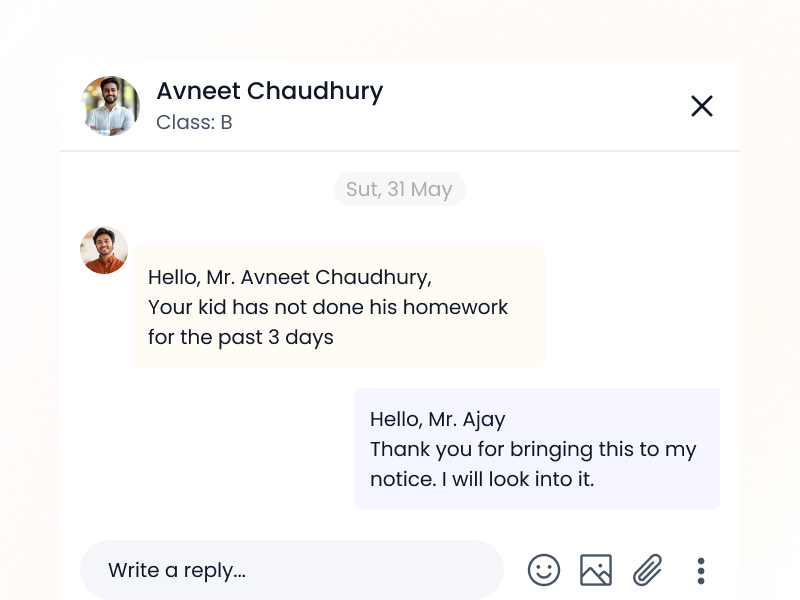
Parent Communication History Overview

See every message, reply, notice, and update shared with parents β€” all in one clean timeline.
school-logo
school-logo
school-logo
school-logo
school-logo
school-logo
school-logo
school-logo
school-logo
school-logo

Never Lose Track of a Message Again

Whether it’s a fee reminder, a class update, or a parent concern β€” it should never get lost.
With iSchoolCloud, you get a complete view of every communication shared with each parent β€” who sent it, when, and what was said.

This helps avoid repetition, confusion, or missed updates. And when parents follow up, your staff knows exactly what’s been shared β€” no digging required.

πŸ“¨
Full Message History
See every SMS, push notification, app message, or email sent to each parent.
πŸ§‘β€πŸ«
Teacher-to-Parent Messaging Log
Track what teachers shared with specific parents β€” and when.
πŸ“‹
Class Notices Timeline
Access past announcements, circulars, and reminders β€” per class or student.
πŸ“
Attachment Archive
View/download past shared PDFs, homework files, or event invites.
πŸ•“
Time-Stamped Conversations
All records include exact date and time of send/delivery.
🧾
View by Student or Class
Filter communication history per student, section, or class group.
πŸ”
Parent Query Response Tracker
Review what staff replied to which parent queries β€” no repeated answers.
πŸ“Š
Message Delivery Reports
Know which messages reached and which failed β€” with reason logs.
πŸ”
Role-Based View Access
Admins see full logs; teachers see only their class history.

πŸ“¬ Communication with parents isn’t just about sending β€”

it’s about remembering what was said πŸ—£οΈ, when πŸ•’, and by whom πŸ‘€.

With iSchoolCloud’s Parent Communication History Overview, your school gets a full picture πŸ–ΌοΈ β€” not scattered chats πŸ’¬ or lost notes πŸ—’οΈ.

Every message πŸ“©, every circular πŸ“„, every fee reminder πŸ’° β€” it’s all recorded πŸ—‚οΈ.
You’ll know when it was sent πŸ“€, if it reached the parent πŸ“¬, and whether there was a reply πŸ”.

When a parent calls ☎️ or visits 🏫, your team won’t need to dig through old records πŸ“š or ask the teacher πŸ‘©β€πŸ« β€” they’ll already know βœ….

This saves time ⏱️. Avoids repetition πŸ”. And builds trust 🀝.

Whether it’s for a PTM follow-up πŸ‘¨β€πŸ‘©β€πŸ‘§, a fee discussion πŸ’³, or just everyday clarity πŸ” β€” this tool gives your school the full story πŸ“–, every time πŸ”„.


No More Guessing What Was Shared

All Parent Communication, All in One Place

From reminders to replies β€” everything is stored, searchable, and accessible.

Yes. You can filter by student or parent and view all communication history.
Yes β€” teacher-to-parent messages are recorded and visible to authorized users.
You can check delivery status, time, and message content instantly.
Yes β€” export logs by student, class, or message type in Excel/PDF.
Attachments like homework files or event letters are stored and viewable.
Logs are stored year-wise and archived as per your retention settings.
Yes β€” reply history is part of the parent communication log.
No. Teachers see only their class/section messages. Admins have full visibility.
Yes β€” group communication logs are available per class or batch.
iSchoolCloud doesn’t track outside apps, but you can log summary notes manually if needed.
five-rating-star 4.9 5000 Total Reviews

Join Our Inner Circle for Special Perks
A free guide/ebook on educational strategies or technology integration
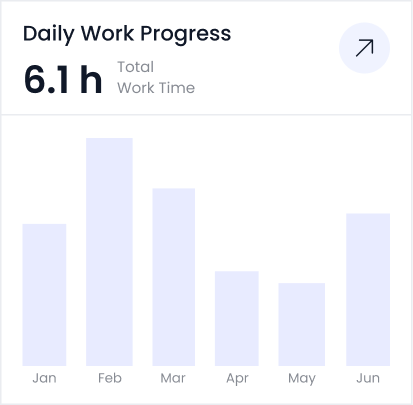
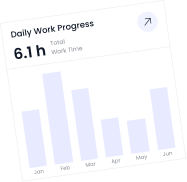
attedance report daily work progress