Best Parent-Teacher Communication Apps for Indian Schools: Complete Comparison
 November 20, 2025


Table of Contents
Gujarat schools are discovering that not all parent-teacher communication apps work for Indian families. This honest comparison reveals which school parent apps support the Gujarati language, work on basic smartphones, and actually improve parent engagement. Real experiences from Rajkot and Ahmedabad schools are included.
Last week, a principal from Rajkot called me in frustration.
“Parents are bombarding us with calls and WhatsApp messages,” she said. “They want to know if their child reached school safely, what homework was assigned, when the next exam is scheduled… I need a solution that actually works for Indian parents, not something designed for American schools.”
Her concern is valid. While there are dozens of parent communication apps available, finding one that truly fits Indian schools – with our unique needs, budget constraints, and diverse parent communities – isn’t easy.
After researching extensively and talking to school administrators across Gujarat who’ve tried different solutions, I’ve put together this honest comparison of parent-teacher communication app that actually work for schools like yours.
Why Indian Parents Are Demanding Better Communication
Before we compare specific apps, let’s understand what’s driving this demand.
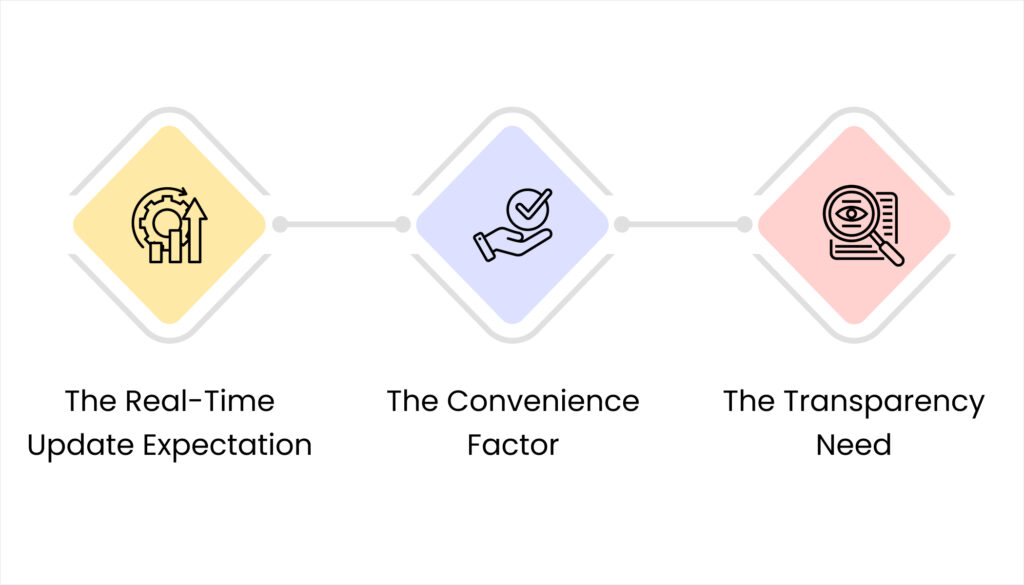
The Real-Time Update Expectation
Today’s parents grew up with instant messaging and smartphone notifications. They’re used to knowing everything immediately – from food delivery status to bank transactions. Naturally, they expect the same level of instant updates about their children’s school activities.
When my nephew’s school in Ahmedabad started sending automatic attendance SMS, his mother told me, “I used to worry all morning wondering if he reached safely. Now I get confirmation within minutes. It’s such a relief.”
That peace of mind is priceless for parents. Schools that provide it build stronger parent relationships.
The Convenience Factor
Think about how much time parents spend:
- Calling the school office to check fee balances
- Visiting in person to collect progress reports
- Trying to remember which day is sports day
- Searching through old WhatsApp messages for homework details
A good school parent app eliminates these time-wasters. Parents can check everything instantly, whenever convenient for them.
The Transparency Need
Parents today want visibility into their child’s daily school experience. Not just quarterly report cards, but ongoing awareness of:
- Daily attendance patterns
- Homework completion rates
- Behavioral observations
- Academic progress trends
Apps that provide this transparency help parents feel like partners in their child’s education, not outsiders waiting for occasional updates.
What Makes a Parent-Teacher Communication App Actually Useful

Not all communication apps are created equal. Here’s what actually matters for Indian schools:
Essential Features Parents Care About
1. Instant Attendance Notifications
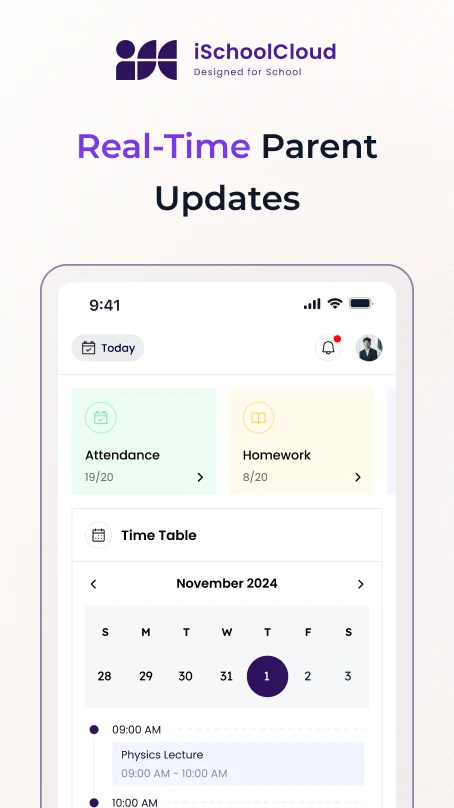
This is non-negotiable. Parents want to know their child reached school safely. The best apps send automatic SMS or push notifications within minutes of attendance being marked.
Real example: A school in Surat reported that attendance notifications reduced parent phone calls by 60% – because the question “Did my child reach school?” was answered before parents needed to ask.
2. Fee Payment and Tracking
Parents appreciate being able to:
- Check current fee balance anytime
- View complete payment history
- Receive payment reminders
- Make online payments directly through the app (if available)
This feature alone saves hours of office staff time previously spent answering fee-related queries.
3. Homework and Assignment Updates
Teachers post homework details once, and all parents receive the information instantly. No more “I forgot what homework was assigned” excuses, and no more confusion about deadlines.
4. Direct Teacher Communication
The ability to message teachers directly – without calling the school office or waiting for parent-teacher meetings – is hugely valuable. Parents can ask specific questions about their child’s progress or clarify assignment details.
5. Exam Schedules and Results
Parents want to know when exams are scheduled and receive results as soon as they’re available. The best apps make this information instantly accessible.
6. Behavior and Performance Reports
Regular updates about student behavior, participation, and progress help parents stay informed and intervene early if problems develop.
7. School Announcements and Events
Information about upcoming events, holiday schedules, and important announcements should reach all parents reliably.
8. Photo and Video Sharing
Many schools share photos from school events and activities. This helps parents feel connected to their child’s school experience.
What Indian Parents Actually Need (But Many Apps Miss)
Language Support
Not all parents are comfortable with English. Apps need to support Hindi, Gujarati, and other regional languages to reach all families effectively.
A school in Vadodara discovered that only 40% of parents were using their English-only app. When they switched to a bilingual platform supporting Gujarati, usage jumped to 85%.
Works on Basic Smartphones
Many Indian families use entry-level Android phones. Apps that require high-end devices or consume excessive data won’t reach significant portions of your parent community.
SMS Fallback Options
For critical information like attendance, having SMS backup ensures parents without smartphones or regular internet access still receive important updates.
Multiple Child Management
Many families have several children in the same school. Apps should allow parents to manage multiple children from a single account without constantly switching profiles.
Offline Capability
In areas with unreliable internet, some offline functionality ensures parents can at least view previously downloaded information even when connectivity is poor.
Comparing Popular Options for Indian Schools
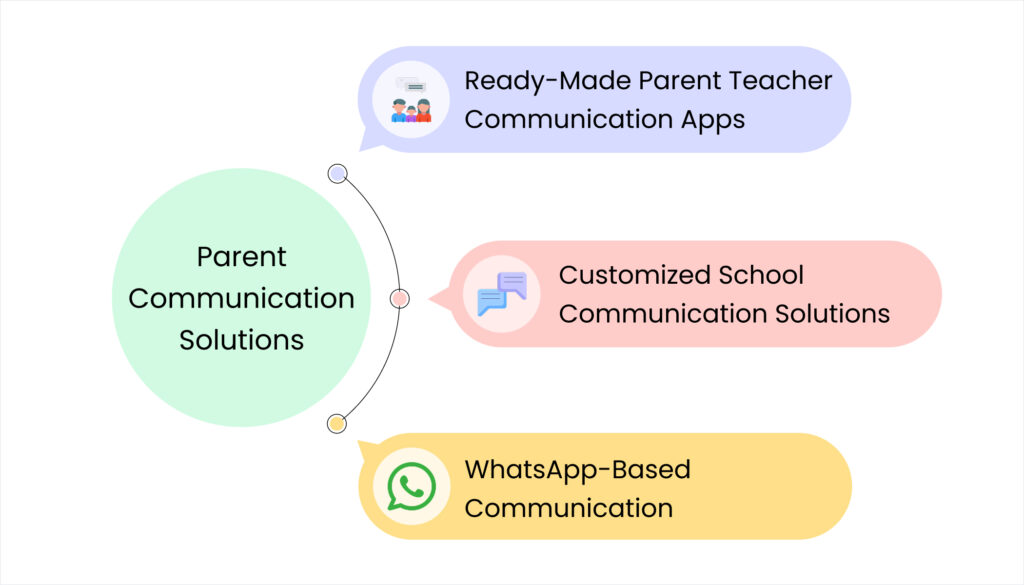
Based on feedback from Gujarat schools and extensive research, here are the main categories of parent communication solutions:
Ready-Made Parent Teacher Communication Apps
These are pre-built platforms designed specifically for school communication:
Advantages:
- Quick implementation (typically 2-4 weeks)
- Proven features used by thousands of schools
- Regular updates and improvements
- Established support systems
- Lower initial costs
Disadvantages:
- Limited customization options
- May include features you don’t need
- Less flexibility for unique school processes
- Standardized parent experience
Typical pricing: ₹60,000 – ₹2 lakhs annually for schools with 300-500 students
Customized School Communication Solutions
These are platforms built specifically for your school’s unique needs:
Advantages:
- Perfect fit with your existing processes
- Complete control over features and functionality
- Can integrate with other systems you use
- Unique parent experience aligned with your brand
Disadvantages:
- Higher initial investment
- Longer development timeline (2-3 months)
- Requires ongoing technical relationship with developer
- Success depends on developer capability
Typical pricing: ₹1.5 – ₹4 lakhs initial development, plus ₹50,000 – ₹1.5 lakhs annual maintenance
WhatsApp-Based Communication
Some schools attempt to use WhatsApp groups as their primary communication tool:
Advantages:
- Parents already know how to use it
- Zero additional cost
- Instant message delivery
- Easy photo and video sharing
Disadvantages:
- Quickly becomes disorganized with 200+ messages daily
- Important announcements get buried in casual conversation
- No attendance automation or fee tracking
- Privacy concerns when all parents see each other’s numbers
- No way to track who read important messages
- Unprofessional appearance
Reality check: WhatsApp works for emergency announcements but fails as a complete communication solution for schools with more than 100 students.
Key Comparison Factors for School Decision-Makers
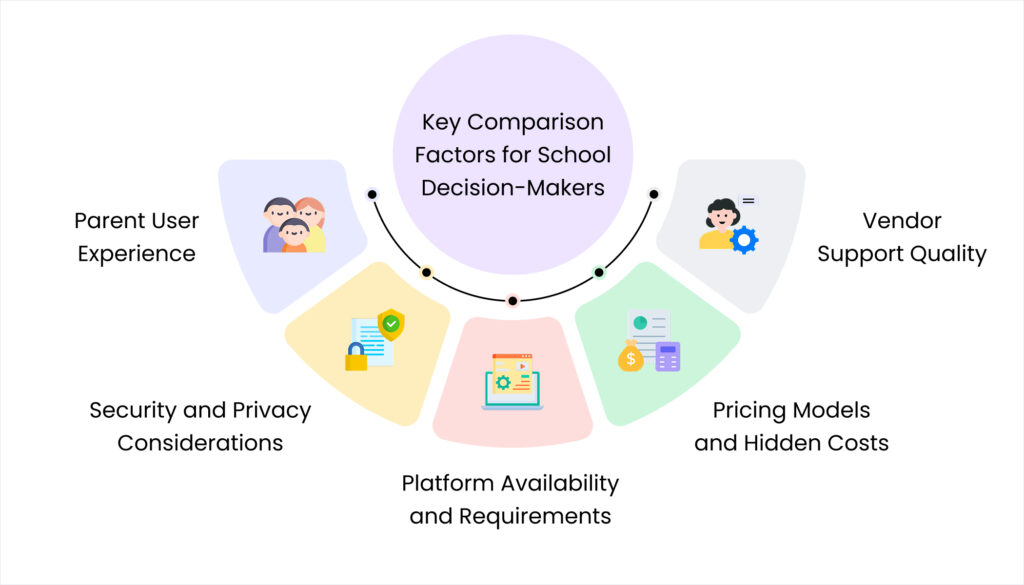
When evaluating different options, focus on these practical considerations:
Parent User Experience
Simplicity Matters Most
The best app in the world is worthless if parents find it too complicated to use. During evaluation, test the app yourself:
- Can you find attendance information within 10 seconds?
- Is fee balance checking obvious and straightforward?
- Are announcements displayed prominently?
- Does navigation make intuitive sense?
A school in Rajkot rejected a feature-rich app because parents needed training to use basic functions. They chose a simpler alternative, and parent adoption was nearly 95% within the first month.
Mobile-First Design
Most parents will access your school parent app primarily on smartphones. The mobile experience should be excellent, not just “acceptable.”
Test the app thoroughly on basic Android phones, not just premium devices. If it’s slow or awkward on budget smartphones, many of your parents will struggle.
Language and Cultural Appropriateness
Verify that the app supports languages your parent community uses. Check that date formats, currency displays, and terminology make sense for Indian schools.
Security and Privacy Considerations
Parents trust you with sensitive information about their children. Your chosen app must take security seriously:
Essential security features:
- Encrypted data transmission and storage
- Secure login with password requirements
- Limited data sharing between parents
- Clear privacy policies compliant with Indian data protection laws
- Regular security audits and updates
Red flags:
- Vague answers about data security
- No clear privacy policy
- Sharing student data with third parties for marketing
- Weak password requirements
- No parental control over information sharing
Platform Availability and Requirements
Android vs iOS vs Web
Most Indian parents use Android devices, so Android app availability is essential. iOS support matters less but helps reach affluent families. A web portal provides access for parents who prefer computers.
Device Requirements
Check minimum Android version and device specifications required. Apps requiring Android 10+ will exclude parents with older phones.
Internet Dependency
Some apps work only online, while others allow offline access to previously loaded information. For areas with unreliable connectivity, offline capability becomes important.
Pricing Models and Hidden Costs
Understanding true costs helps you budget accurately and avoid surprises:
Common pricing structures:
Per-student annual fee: ₹100 – ₹500 per student per year
- Predictable costs that scale with enrollment
- Usually includes all basic features
- Suitable for most schools
Flat annual license: ₹60,000 – ₹3 lakhs per year regardless of student count
- Simpler billing for larger schools
- Can be more economical for 500+ student schools
- Watch for student number limits
Tiered pricing: Different feature sets at different price points
- Basic communication at lower cost
- Advanced features require premium tier
- Can start small and upgrade later
Watch for hidden costs:
- SMS charges for attendance notifications
- Setup and training fees
- Annual maintenance or support charges
- Costs for adding modules or features later
- Data storage limitations and overage charges
Vendor Support Quality
The best parent app for schools with terrible support becomes frustrating quickly. Evaluate vendor support carefully:
Important support factors:
- Response time for technical issues
- Support availability (business hours vs 24/7)
- Language support (Hindi/Gujarati for Gujarat schools)
- Training quality for your staff
- Implementation assistance
- Regular software updates and improvements
How to evaluate: Ask for references from schools that have used the app for at least 6 months. Contact them directly and ask about their support experiences.
Making the Right Choice for Your School

With so many options available, how do you choose the right parent-teacher communication app for your specific situation?
Matching Solutions to School Size and Needs
Small Schools (Under 300 students):
Best approach: Simple, affordable ready-made apps with core features
Priority features: Attendance notifications, basic announcements, direct teacher messaging
Budget reality: ₹60,000 – ₹1.2 lakhs annually
Implementation timeline: 2-3 weeks
Medium Schools (300-700 students):
Best approach: Comprehensive ready-made platforms or light customization
Priority features: All basic features plus fee management, performance tracking, multiple child support
Budget reality: ₹1.2 – ₹2.5 lakhs annually
Implementation timeline: 3-6 weeks
Large Schools (700+ students):
Best approach: Robust platforms or customized solutions
Priority features: Full feature set including advanced analytics, integration with existing systems
Budget reality: ₹2.5 – ₹5 lakhs annually
Implementation timeline: 6-10 weeks
The Evaluation Process That Actually Works
Step 1: Define Your Requirements
List your must-have features and nice-to-have features separately. Be honest about what you actually need versus what sounds impressive.
Step 2: Get Hands-On Trials
Insist on testing the app with actual parent volunteers from your school. Watch how easily they navigate and accomplish common tasks.
Step 3: Check References Thoroughly
Speak with at least 3 schools similar to yours that have used each app for 6+ months. Ask specific questions about challenges faced and how vendor support responded.
Step 4: Calculate Total Costs
Include all expenses: software, implementation, training, SMS charges, ongoing support. Compare true annual costs, not just headline prices.
Step 5: Involve Key Stakeholders
Get input from teachers who will use the system, office staff who will manage it, and parent representatives who will experience it.
Common Mistakes Schools Make (And How to Avoid Them)
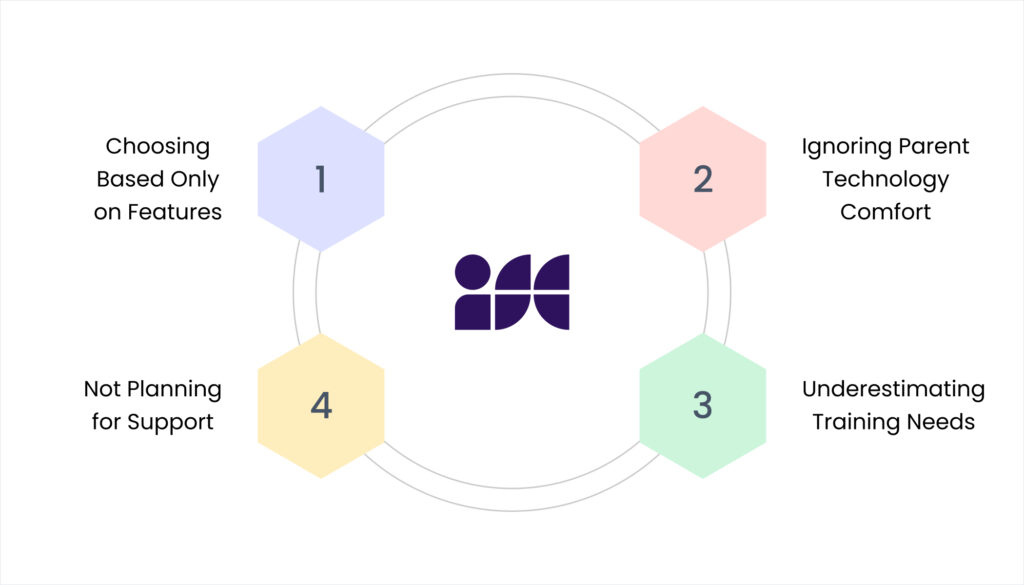
Mistake #1: Choosing Based Only on Features
More features don’t guarantee better communication. Focus on features your community will actually use.
Better approach: Prioritize simplicity and ease of use over feature count.
Mistake #2: Ignoring Parent Technology Comfort
Selecting apps that your staff likes but parents find complicated leads to low adoption rates.
Better approach: Test extensively with actual parents from various backgrounds before deciding.
Mistake #3: Underestimating Training Needs
Assuming parents will intuitively understand the app without guidance causes frustration and abandonment.
Better approach: Plan comprehensive parent onboarding with clear instructions in local languages.
Mistake #4: Not Planning for Support
Choosing vendors based on price alone without considering support quality creates problems when technical issues arise.
Better approach: Evaluate vendor support as carefully as the app itself.
Your School’s Communication Future

The right parent-teacher communication app doesn’t just reduce phone calls and save staff time – it fundamentally improves relationships between your school and families.
Parents feel more connected to their children’s education. Teachers can focus on teaching instead of answering routine questions. Your office staff can provide better service instead of managing communication chaos.
But choosing the wrong app wastes money, frustrates everyone, and damages your school’s reputation.
Questions to Ask Yourself
Before making any decision, honestly answer these questions:
- What specific communication problems am I trying to solve?
- What percentage of my parent community uses smartphones regularly?
- Do I need multilingual support for non-English speaking families?
- What’s my realistic budget for both initial implementation and ongoing costs?
- How technically comfortable are my staff and parent community?
- What kind of ongoing support will I need from the vendor?
Your answers will guide you toward the right solution for your unique situation.
Taking the Next Step

The parent communication landscape is changing rapidly. Schools that use modern platforms like iSchoolCloud gain a strong competitive advantage, while those that continue with outdated methods risk losing families to more advanced alternatives
You don’t need the fanciest app with every possible feature. You need a solution that works reliably for your specific parent community, fits your budget, and actually gets used by families.
This week:
- List your top 5 communication challenges with parents
- Research 2-3 app options that address those specific challenges
- Contact schools in Gujarat that use those apps
- Request trial access to test with parent volunteers
Next month:
- Complete hands-on testing with actual parents
- Calculate total costs including hidden expenses
- Check vendor references thoroughly
- Make your decision based on real-world evidence, not marketing promises
The right parent teacher communication app is out there for your school. Taking time to choose thoughtfully ensures you invest in a solution that genuinely improves communication instead of creating new problems.
Ready to improve parent communication at your school?
We help Gujarat schools evaluate and implement parent communication solutions that actually work for Indian families. From assessment to implementation to ongoing support, we understand what makes communication effective in schools like yours.
Contact us today for a personalized consultation about choosing and implementing the right parent communication app for your school’s unique needs and budget.
Your parents deserve better communication. Your staff deserves less communication burden. The right app delivers both.


 4.9 5000 Total Reviews
Join Our Inner Circle for Special Perks

 Trusted by 50000 educational pioneers