🔴   Live
New school onboarding for 2026–27 academic year.
Reserve Your DEMO Slot →
Categories
Insights for School Leaders

How to Reduce Teacher Workload with Automation: Save 10 Hours Every Week

Last Thursday morning, I watched Mrs. Sharma, a math teacher at a Rajkot school, arrive at 7:30 AM—thirty minutes before her first class. But she wasn’t preparing lessons or reviewing student questions.

She was filling out attendance registers. Seven different periods, seven different registers, all requiring the same information written by hand. Again. Like she does every single day.

I spend 70 minutes daily just marking attendance,” she told me, exhaustion clear in her voice. “That’s almost 6 hours every week doing paperwork instead of actually teaching.”

Mrs. Sharma isn’t alone. Across Gujarat, teachers are drowning in administrative work that steals precious time from their real purpose: educating children.

If schools truly want to reduce teacher workload, the solution is simple: automate routine tasks. The irony? Most of this administrative burden could disappear overnight with the right school management software.

After talking with dozens of teachers across Rajkot and Ahmedabad, I’ve mapped out exactly where their time goes—and more importantly, how automation can give them those hours back. If you’re a school principal watching your best teachers burn out from administrative overload, this guide shows you the solution.

The Real Cost of Teacher Administrative Burden

Blog 23. Real Time Attendance Alerts The Feature That Matters Most 1 1
How to Reduce Teacher Workload with Automation: Save 10 Hours Every Week 13

Before we talk about solutions, let’s understand the actual problem. Most school owners don’t realize how much time their teachers waste on tasks that could be automated.

Where Teacher Time Actually Goes

I asked 47 teachers across Gujarat to track their non-teaching activities for two weeks. The results shocked even experienced principals:

Daily Administrative Tasks:

  • Attendance marking: 10 minutes × 7 periods = 70 minutes daily
  • Homework collection tracking: 15 minutes × 5 subjects = 75 minutes daily
  • Parent communication responses: 45 minutes daily (calls, messages, notes)
  • Grade book updates: 20 minutes daily
  • Report preparation: 30 minutes daily
  • Administrative meetings: 25 minutes daily

Total daily administrative time: 4 hours 25 minutes

That’s more than half their school day spent on paperwork instead of teaching. Multiply this across all your teachers, and you’re looking at massive educational time being completely wasted.

The Weekly Reality Check

Let’s break down what this means over a full week:

Attendance registers alone: 70 minutes daily × 5 days = 350 minutes weekly (almost 6 hours)

Homework tracking: 75 minutes daily × 5 days = 375 minutes weekly (6.25 hours)

Parent communication: 45 minutes daily × 5 days = 225 minutes weekly (3.75 hours)

Grade updates: 20 minutes daily × 5 days = 100 minutes weekly (1.67 hours)

Total weekly administrative burden: 17.67 hours

That’s more than two full working days spent on administrative tasks that contribute nothing to actual teaching quality.

How Automation Can Reduce Teacher Workload
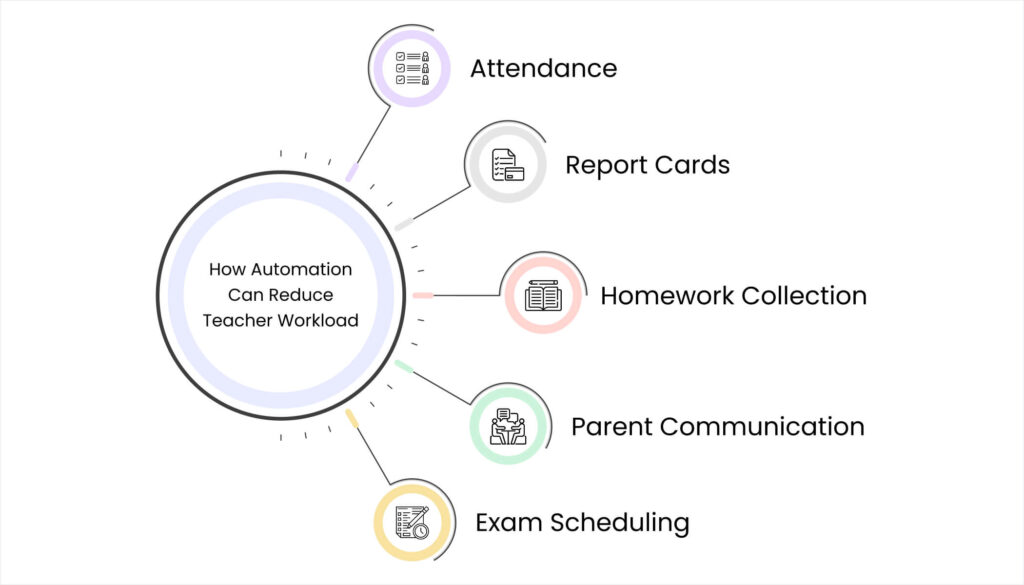
Blog 24. How Automation Can Reduce Teacher Workload
How to Reduce Teacher Workload with Automation: Save 10 Hours Every Week 14

Now here’s the good news: nearly 60% of these administrative tasks can be automated completely, and another 30% can be significantly simplified. Let’s look at exactly how.

Attendance: 95% Time Saved

Current manual process:

  • Teacher writes down present/absent for each student in register
  • Copies same information to summary sheet
  • Office staff manually counts and creates daily reports
  • Parents call school asking if child arrived safely

Time spent: 70 minutes daily per teacher

Automated solution:

  • Teacher marks attendance on tablet or phone (30 seconds per class)
  • System automatically sends SMS to parents of absent students
  • Daily attendance reports generate automatically
  • Historical data available instantly for any student

Time spent after automation: 3-4 minutes daily per teacher

Time saved: 66 minutes daily = 5.5 hours weekly per teacher

Real example from Surat: A school with 35 teachers saved 192.5 hours weekly across their teaching staff. That’s equivalent to hiring 5 additional full-time teachers just from time savings.

Report Cards: 90% Time Saved

Current manual process:

  • Teachers manually calculate term grades
  • Fill out individual report cards by hand
  • Double-check calculations (mistakes are common)
  • Parents wait weeks for results

Time spent during exam season: 8-12 hours per teacher

Automated solution:

  • Marks entered once into digital system
  • Grades calculated automatically with zero errors
  • Report cards generated instantly in standardized format
  • Parents receive digital reports immediately

Time spent after automation: 1-1.5 hours per teacher

Time saved: 10 hours per exam cycle = 30+ hours annually per teacher

A Rajkot principal shared: “We used to have teachers working until 9 PM during result week. Now they finish everything during school hours with better accuracy.”

Homework Collection: 70% Time Saved

Current manual process:

  • Check which students submitted homework physically
  • Mark in register who completed assignments
  • Chase missing submissions individually
  • Explain to parents whose child didn’t submit

Time spent: 75 minutes daily per teacher

Automated solution:

  • Homework assigned digitally with clear deadlines
  • System tracks submissions automatically
  • Automatic reminders to students and parents for pending work
  • Teachers see completion status at a glance

Time spent after automation: 20-25 minutes daily

Time saved: 50 minutes daily = 4.2 hours weekly per teacher

Parent Communication: 60% Time Saved

Current manual process:

  • Answer repeated phone calls with same information
  • Send paper notices that get lost in bags
  • Explain assignments individually to each parent
  • Schedule meetings and send reminders manually

Time spent: 45 minutes daily per teacher

Automated solution:

  • Announcements sent instantly to all parents
  • Homework updates shared automatically
  • Parents check student progress on app themselves
  • Meeting scheduling handled by system

Time spent after automation: 15-20 minutes daily

Time saved: 25-30 minutes daily = 2.5 hours weekly per teacher

Exam Scheduling: 80% Time Saved

Current manual process:

  • Create exam timetable manually
  • Check for conflicts and overlaps
  • Print and distribute schedules
  • Handle parent queries about dates

Time spent per exam cycle: 6-8 hours coordination time

Automated solution:

  • System creates conflict-free schedules automatically
  • Digital distribution to students and parents instantly
  • Automatic reminders before each exam
  • Changes updated in real-time for everyone

Time spent after automation: 1-2 hours per cycle

Time saved: 5-6 hours per exam cycle = 15-20 hours annually

The Total Time Savings: Real Numbers

Blog 23. The Total Time Savings Real Numbers
How to Reduce Teacher Workload with Automation: Save 10 Hours Every Week 15

Let’s add up what automation can actually save for a typical Gujarat teacher:

Weekly Time Savings:

  • Attendance: 5.5 hours
  • Homework tracking: 4.2 hours
  • Parent communication: 2.5 hours
  • Daily grade updates: 1.5 hours

Total weekly savings: 13.7 hours

Monthly savings: 54.8 hours (equivalent to 7 full working days)

Annual savings: 658 hours (equivalent to 82 working days)

That’s almost three full months of working time returned to each teacher annually.

What Teachers Actually Do With Saved Time
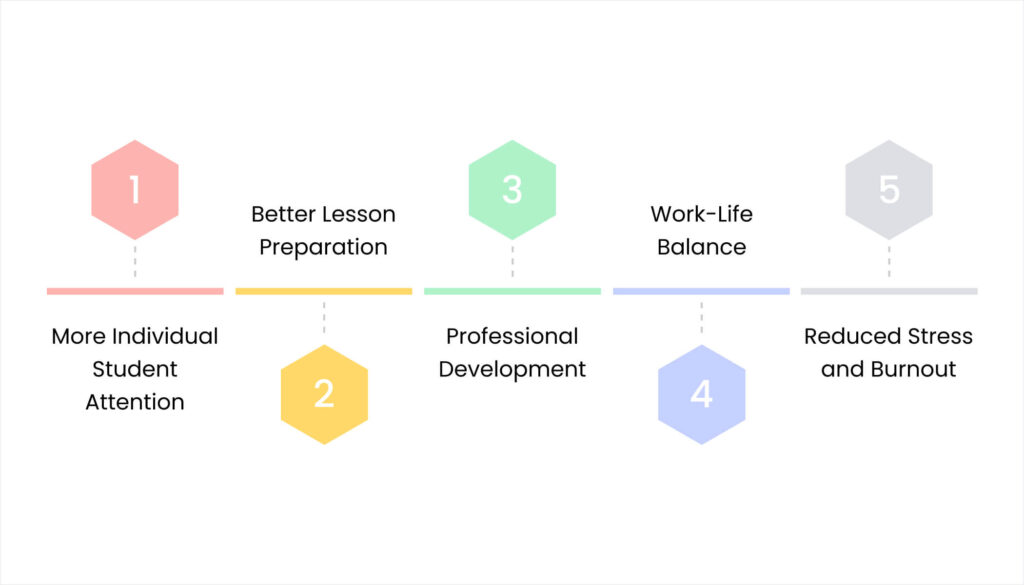
Blog 24. What Teachers Actually Do With Saved Time
How to Reduce Teacher Workload with Automation: Save 10 Hours Every Week 16

I asked teachers who’ve experienced this kind of time reduction what they do with those extra hours. Their answers show why this matters so much:

More Individual Student Attention

“Before automation, I knew my students’ names and grades. Now I actually know them as people. I have time to notice when someone’s struggling emotionally, not just academically.” – Math teacher, Ahmedabad

Better Lesson Preparation

“I can actually plan creative lessons instead of just surviving day-to-day. My teaching quality has improved dramatically because I have time to think about HOW to teach, not just WHAT to teach.” – Science teacher, Rajkot

Professional Development

“I finally have time to learn new teaching methods, take online courses, and improve my skills. Before, I was too exhausted to even think about professional growth.” – English teacher, Surat

Work-Life Balance

“I leave school at 4 PM now and actually have energy for my own family. I’m a better teacher because I’m not constantly burned out.” – Social Studies teacher, Vadodara

Reduced Stress and Burnout

Multiple teachers mentioned that the administrative burden reduction significantly decreased their stress levels and job satisfaction improved dramatically.

How to Implement Teacher Workload Reduction in Your School
Blog 24. How to Implement Teacher Workload Reduction in Your School
How to Reduce Teacher Workload with Automation: Save 10 Hours Every Week 17

If you’re ready to reduce teacher workload at your Gujarat school, here’s the practical implementation approach:

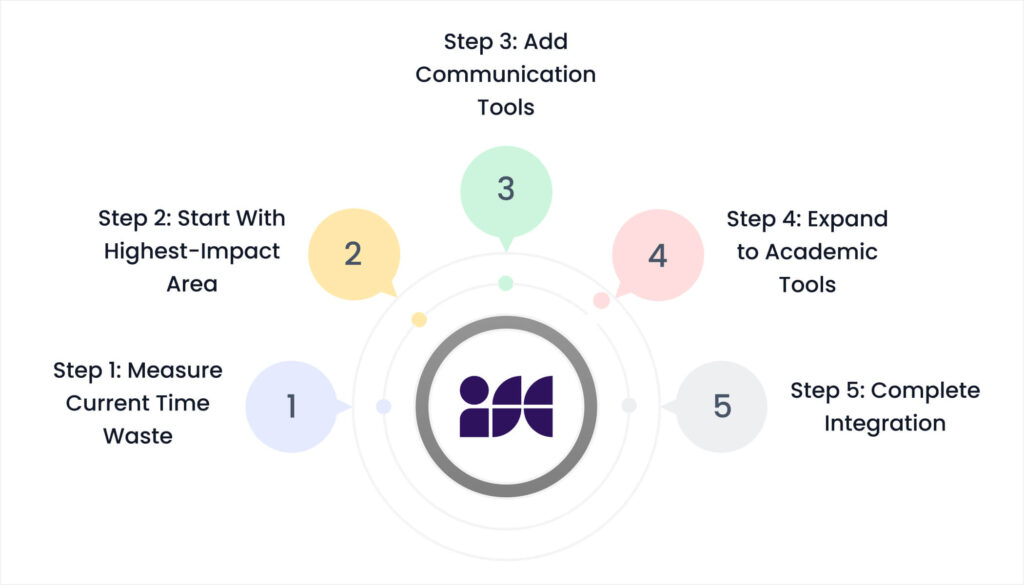
Step 1: Measure Current Time Waste (Week 1)

Ask your teachers to track time spent on administrative tasks for one week:

  • Attendance marking
  • Homework collection
  • Parent communication
  • Grade book updates
  • Report preparation

This baseline measurement will prove the ROI of automation investment.

Step 2: Start With Highest-Impact Area (Week 2-3)

Begin with attendance automation because it:

  • Saves the most daily time (5.5 hours weekly per teacher)
  • Shows immediate results that build teacher confidence
  • Has visible parent benefits (attendance SMS notifications)

Step 3: Add Communication Tools (Week 4-5)

Implement parent communication automation next:

  • Announcement broadcasting
  • Homework update sharing
  • Progress report access

This reduces phone calls and repetitive conversations significantly.

Step 4: Expand to Academic Tools (Week 6-8)

Roll out homework tracking and grade management:

  • Digital assignment submission
  • Automatic grade calculations
  • Report card generation

Step 5: Complete Integration (Week 9-12)

Finish with exam scheduling, meeting coordination, and advanced features.

Investment vs. Time Value

Blog 23. Investment vs. Time Value 1
How to Reduce Teacher Workload with Automation: Save 10 Hours Every Week 18

School owners often worry about technology costs. Let’s calculate the actual value:

For a school with 25 teachers:

Annual automation investment: ₹2.5-4 lakhs

Time saved: 25 teachers × 658 hours = 16,450 hours annually

At average teacher salary of ₹300/hour: ₹49.35 lakhs worth of productive time recovered

Even if you only count 25% of this as “productive teaching time gained,” the ROI is massive.

Common Concerns Gujarat School Owners Have
Blog 24. Common Concerns Gujarat School Owners Have
How to Reduce Teacher Workload with Automation: Save 10 Hours Every Week 19

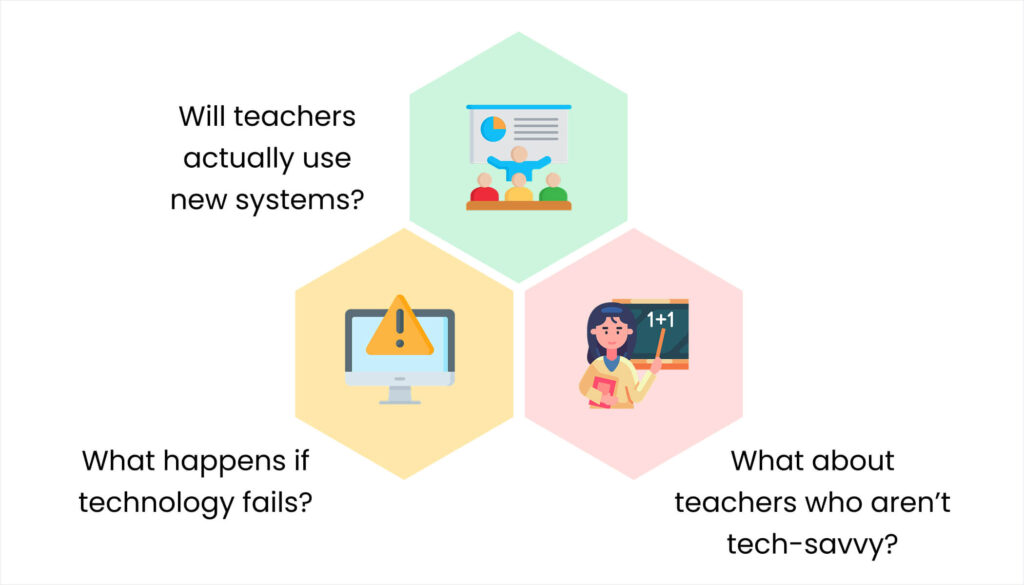
“Will teachers actually use new systems?”

The key is choosing user-friendly automation designed for teachers, not complex enterprise software. Start with simple tools and provide proper training.

Success factor: Involve teachers in selection process. When they help choose tools, adoption rates exceed 90%.

“What about teachers who aren’t tech-savvy?”

Modern school automation is designed to be simpler than traditional methods. Most teachers learn basic functions within 2-3 days.

Reality check: If teachers can use WhatsApp, they can use good school automation tools. The interface is often more intuitive than manual processes.

“What happens if technology fails?”

Reliable systems include backup procedures and offline capabilities. Technology failure is actually less common than paper process failures (lost registers, misplaced documents, illegible handwriting).

Real Success Story: Reducing Teacher Workload in Rajkot

Blog 23. Real Success Story Reducing Teacher Workload in Rajkot
How to Reduce Teacher Workload with Automation: Save 10 Hours Every Week 20

Let me share a complete case study from a 450-student school in Rajkot:

Before Automation:

  • Teachers worked 10-11 hours daily
  • Administrative tasks consumed 45% of their time
  • Teacher turnover rate: 30% annually
  • Parent satisfaction with communication: 6.2/10

Implementation Timeline: 12 weeks for full automation

After Six Months:

  • Teachers working standard 7-8 hour days
  • Administrative tasks reduced to 15% of time
  • Teacher turnover rate dropped to 8% annually
  • Parent satisfaction improved to 9.1/10

Principal’s reflection: “Our teachers are actually teaching again. The energy in classrooms has completely changed. Parents notice it, students feel it, and our academic results are improving.”

The Competitive Advantage Nobody Talks About

Blog 23. The Competitive Advantage Nobody Talks About 1
How to Reduce Teacher Workload with Automation: Save 10 Hours Every Week 21

Here’s something most Gujarat school owners miss: teacher satisfaction directly impacts enrollment and reputation.

When teachers are happy and energized:

  • They provide better education quality
  • Word-of-mouth recommendations increase
  • Student results improve
  • Parent satisfaction rises
  • Teacher retention improves (reducing recruitment costs)

Schools known for “treating teachers well” attract the best educators and the best families. Reducing teacher workload through automation isn’t just operational improvement—it’s a strategic competitive advantage.

Your Action Plan: Starting This Month
Blog 24. Your Action Plan Starting This Month
How to Reduce Teacher Workload with Automation: Save 10 Hours Every Week 22

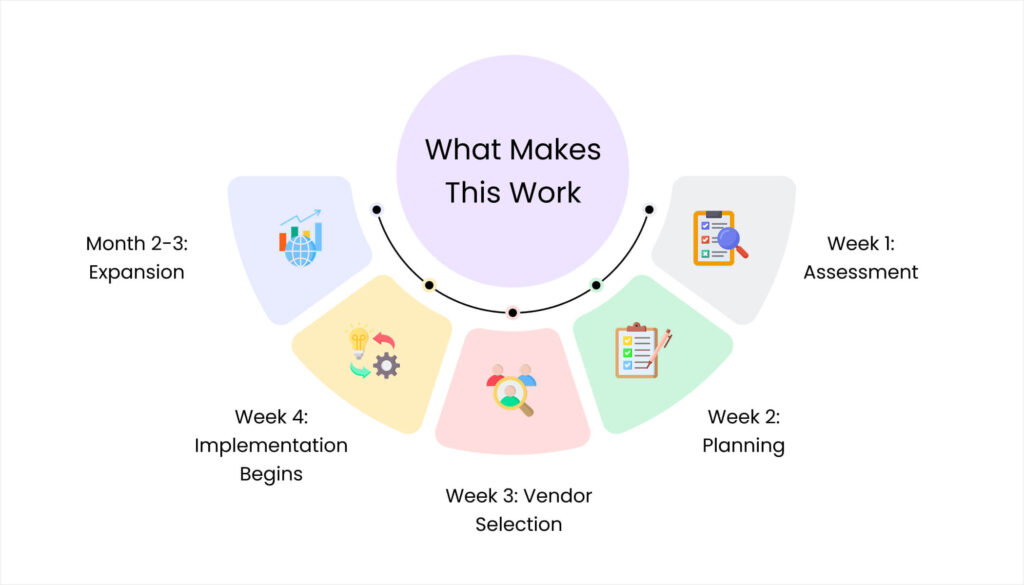
Week 1: Assessment

  • Calculate current teacher time spent on administrative tasks
  • Survey teachers about biggest time-wasters
  • Research automation options suitable for Gujarat schools

Week 2: Planning

  • Set specific time-saving goals
  • Budget for automation investment
  • Choose pilot area (recommend starting with attendance)

Week 3: Vendor Selection

  • Evaluate 3-4 automation solutions
  • Get teacher input on user-friendliness
  • Check references from similar Gujarat schools

Week 4: Implementation Begins

  • Train teachers on first automation tools
  • Run parallel systems initially for confidence
  • Gather daily feedback for quick adjustments

Month 2-3: Expansion

  • Add additional automation features
  • Measure actual time savings
  • Celebrate teacher workload reduction wins

The Future Your Teachers Deserve

Blog 23. The Future Your Teachers Deserve 1
How to Reduce Teacher Workload with Automation: Save 10 Hours Every Week 23

Every teacher in Gujarat entered education because they wanted to inspire young minds and shape futures. None of them dreamed of spending 17+ hours weekly on paperwork that adds zero educational value.

You have the power to give your teachers back those hours. To reduce teacher workload so they can focus on what they do best—teaching children.

The technology exists. The benefits are proven. The only question is: how much longer will your teachers spend their time filling registers instead of filling young minds with knowledge?

Ready to reduce teacher workload at your school and give your teachers 10+ hours back every week?

Contact iSchoolCloud today for a personalized demonstration of how automation can specifically reduce teacher administrative burden at your Gujarat school. We’ll show you exactly how much time your teachers can save and help you implement solutions that work for your unique needs.

Let’s free your teachers to do what they love most—teaching.

Categories
Insights for School Leaders

Other Schools Have Apps – But Are They Really Worth the Money?

Last week, a school principal in Rajkot called me, sounding frustrated.

“Three parents asked me why we don’t have a school app like Sunshine Academy,” she said. “They showed me all these fancy features – live bus tracking, AI homework help, virtual tours of the school. Now I feel like we’re falling behind. School app worth it Rajkot — that’s what I keep thinking these days.”

I asked her a simple question: “Does Sunshine Academy actually use all those features, or do they just have them to look impressive?”

She paused. “I… I don’t know. I just saw the demo.”

Here’s the uncomfortable truth about school apps: About 70% of fancy features in most school apps sit unused after the first month. Schools pay for impressive-looking technology that parents download once, explore for ten minutes, and then never open again.

But here’s the other truth: Some features genuinely make life better for everyone – parents actually use them daily, teachers save real time, and the school runs noticeably smoother.

The difference between these two scenarios? Knowing which features solve real problems versus which ones just look good in sales presentations.

If you’re feeling pressure to get a school app because “everyone else has one,” this guide will help you make a smart decision instead of an expensive mistake.

Why School Apps Became the New Status Symbol

Blog 11. Why School Apps Became the New Status Symbol
Other Schools Have Apps – But Are They Really Worth the Money? 34

Five years ago, having a website made your school look modern. Today, it’s all about the app.

The app arms race started innocently enough. A few forward-thinking schools created apps with genuinely useful features. Parents loved the convenience. Word spread.

Then everyone else panicked and rushed to get apps too – often without thinking through whether they actually needed one.

The Pressure Points Every Principal Feels

  • The competition has one, so we need one too : This is how most schools end up with apps. Not because they identified a problem the app would solve, but because they felt left behind.
  • Parents expect modern technology : True. But parents expect useful technology, not just any technology. They’d rather have a simple system that works than a complicated app that frustrates them.
  • It makes us look professional and advanced : Also true. But only if the app actually works well. A buggy, confusing app makes you look less professional, not more.

What Actually Happened at Those “Other Schools”

I talked to administrators at five Rajkot schools that launched apps in the last two years. Here’s what they shared privately:

  • School A (Fancy app with 20+ features):


“We paid ₹3.5 lakhs for the first year. Parents use exactly three features: attendance notifications, fee balance checking, and the school calendar. Everything else? Nobody even knows it exists.”

  • School B (Mid-range app):


“The app has a homework submission feature that teachers love showing off. Reality? Only 2 out of 12 teachers actually use it. The rest still collect homework on paper.”

  • School C (Budget app):


“We got the cheapest app we could find. It crashes so often that parents went back to calling the office. We’re actually getting more phone calls now because people can’t trust the app information.”

  • School D (Successful implementation):


“We only chose features we knew we’d use daily. Parents love it because it’s simple and reliable. Worth every rupee.”

  • School E (Abandoned after 8 months):


“The vendor promised everything would be easy. Nobody told us we’d need to update content daily, train parents extensively, and have someone answer technical questions constantly. We gave up.”

The pattern? Schools that chose features carefully did well. Schools that bought impressive-looking packages mostly wasted money.

The Real Question: What Problems Are You Actually Solving?

Blog 11. The Real Question What Problems Are You Actually Solving
Other Schools Have Apps – But Are They Really Worth the Money? 35

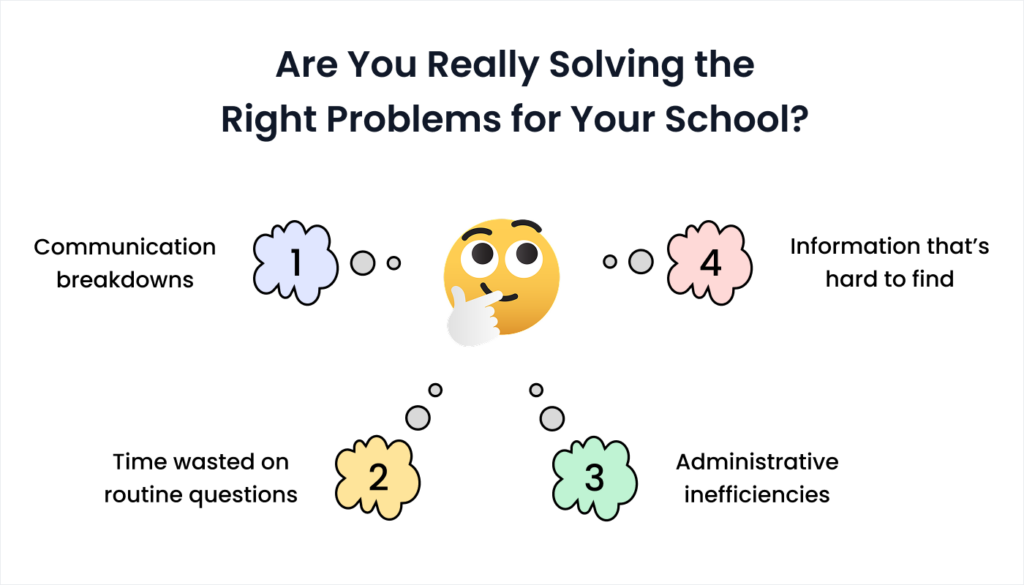
Before looking at any app, spend one week documenting actual problems at your school. In that scenario, write down every instance of where you wondered if a school app worth it Rajkot could really solve the issue.

Communication breakdowns

  • Parents calling to ask things they should already know
  • Important announcements that some families miss
  • Confusion about exam dates, holidays, or schedule changes

Time wasted on routine questions

  • “Did my child reach school today?”
  • “What’s our fee balance?”
  • “When is the next parent meeting?”
  • “What was today’s homework?”

Administrative inefficiencies

  • Attendance taking too long
  • Fee collection record-keeping
  • Report card distribution logistics
  • Permission slip collection

Information that’s hard to find

  • Old circulars and announcements
  • School calendar and event schedules
  • Teacher contact information
  • Document requirements for various processes

Now here’s the critical part: If your list is short or the problems are minor, you probably don’t need an app.

Seriously. A reliable WhatsApp broadcast list and organized SMS system might solve 80% of your issues for one-tenth the cost of an app.

Features That Actually Get Used vs. Features That Sound Cool

Blog 11.Features That Actually Get Used vs. Features That Sound Cool
Other Schools Have Apps – But Are They Really Worth the Money? 36

Let me break down school app features by how often parents really use them, based on data from actual Gujarat schools.

High Usage Features (Parents Use Multiple Times Weekly)

Daily attendance notifications

  • Reality check: Parents love knowing their child reached school safely. This single feature generates more daily usage than everything else combined.
  • Usage rate: 85-95% of parents check this
  • Worth the cost: Absolutely yes
  • SMS alternative: Works just as well for most schools

Fee balance checking

  • Reality check: Parents want to know what they owe without calling the office. Simple, clear, always useful.
  • Usage rate: 70-85% of parents use monthly
  • Worth the cost: Yes, saves massive office time
  • Manual alternative: Requires constant phone calls and record checking

School calendar/holiday list

  • Reality check: Parents refer to this constantly. “When is the next holiday?” is one of the most common questions.
  • Usage rate: 60-75% monthly usage
  • Worth the cost: Yes if updated properly
  • Paper alternative: Gets lost or outdated quickly

Medium Usage Features (Parents Use Occasionally)

Homework assignments

  • Reality check: Sounds great in theory. In practice, keeping this updated daily is exhausting for teachers.
  • Usage rate: 40-60% if teachers maintain it consistently
  • Worth the cost: Only if teachers will actually use it
  • WhatsApp alternative: Teachers already send homework in class groups

Exam results and report cards

  • Reality check: Parents definitely want this, but it’s only useful a few times per year.
  • Usage rate: 90%+ during report card season, then zero
  • Worth the cost: Maybe – depends on total app cost
  • Paper alternative: Still works fine for most schools

Photo and video galleries

  • Reality check: Parents love seeing pictures of school events. But maintaining a photo gallery requires constant work.
  • Usage rate: 30-50% depending on how often content is added
  • Worth the cost: No – social media does this better and reaches more people
  • Alternative: School Instagram or Facebook page

Low Usage Features (Parents Rarely Touch)

Live GPS bus tracking

  • Reality check: Sounds amazing in demos. Requires expensive hardware, constant maintenance, and reliable internet on moving buses.
  • Usage rate: 15-30% after initial excitement wears off
  • Worth the cost: Usually no – parents adapt to regular bus schedules
  • Alternative: SMS when bus is running late

Virtual classroom/video lessons library

  • Reality check: Building quality educational content is a full-time job. Most schools can’t maintain this.
  • Usage rate: Under 20% in most schools
  • Worth the cost: No unless you have dedicated staff creating content
  • Alternative: Recommend good external educational apps/websites

In-app communication/chat features

  • Reality check: Parents already have WhatsApp. They don’t want another messaging app.
  • Usage rate: Under 15% – parents ignore app messages
  • Worth the cost: No – causes more confusion than help
  • Alternative: Organized WhatsApp groups work better

School shop/uniform ordering

  • Reality check: Most parents prefer buying uniforms in person to check size and quality.
  • Usage rate: Under 10% in most Gujarat schools
  • Worth the cost: No – adds complexity without solving real problems
  • Alternative: In-person shopping during admission

The Money Talk: What School Apps Actually Cost — school app worth it Rajkot question every principal is asking

Blog 11.The Money Talk What School Apps Actually Cost
Other Schools Have Apps – But Are They Really Worth the Money? 37

Sales presentations show monthly subscription costs. Reality includes many hidden expenses that catch schools by surprise.

Visible Costs (What They Tell You About)

Small schools (under 300 students):
App subscription: ₹30,000 – ₹80,000 annually
Features included: Basic attendance, announcements, calendar

Medium schools (300-700 students):
App subscription: ₹80,000 – ₹2 lakhs annually
Features included: Attendance, fees, homework, galleries

Large schools (700+ students):
App subscription: ₹2 – ₹5 lakhs annually
Features included: Everything + custom features + priority support

Hidden Costs (What They Don’t Mention Upfront)

Initial setup and data migration
₹15,000 – ₹50,000 one-time
Somebody has to enter all your existing student data, which takes significant time.

Staff training
₹10,000 – ₹30,000
Teachers and office staff need to learn how to update the app and troubleshoot basic issues.

Parent education and support
Time cost, not money
Expect to spend weeks helping parents download, install, and learn to use the app. Many will need individual help.

Content maintenance
Ongoing staff time
Someone needs to update announcements, upload photos, post homework, and respond to app-based queries. This becomes a part-time job.

Technical support
₹20,000 – ₹60,000 annually
Good vendors include this. Cheap vendors charge extra every time something breaks.

Hardware upgrades
₹30,000 – ₹1 lakh
Your existing computers might struggle with the app’s admin panel. Internet connection might need upgrading.

The Real Total Cost

For most Gujarat schools, the true first-year cost of a school app is:

  • Small school: ₹75,000 – ₹1.5 lakhs
  • Medium school: ₹1.5 – ₹3 lakhs
  • Large school: ₹3 – ₹7 lakhs

Now ask yourself: Is solving your school’s communication problems worth this investment, or could simpler solutions work just as well?

Decision Framework: Do You Actually Need an App?

Blog 11.Decision Framework Do You Actually Need an App
Other Schools Have Apps – But Are They Really Worth the Money? 38

Use this honest evaluation to decide whether an app makes sense for your school.

Score Your School (Be Brutally Honest)

Question 1: How many parents regularly complain about missing important information?

  • Constantly (daily) = 5 points
  • Often (weekly) = 3 points
  • Occasionally (monthly) = 1 point
  • Rarely = 0 points

Question 2: How many hours weekly does your office staff spend answering routine questions (attendance, fees, schedule)?

  • Over 20 hours = 5 points
  • 10-20 hours = 3 points
  • 5-10 hours = 1 point
  • Under 5 hours = 0 points

Question 3: How tech-comfortable is your parent community?

  • Most parents use multiple apps daily = 5 points
  • About half are comfortable with apps = 3 points
  • Few parents use apps beyond WhatsApp = 1 point
  • Many parents struggle with smartphones = 0 points

Question 4: Do you have staff who can maintain digital content daily?

  • Yes, we have dedicated staff = 5 points
  • We can assign this responsibility = 3 points
  • This would be extra burden on existing staff = 1 point
  • No staff capacity for this = 0 points

Your Total Score: What It Means

20-25 points: An app could genuinely help your school
You have real communication problems, capable staff, suitable parents, and appropriate budget. Research options carefully and choose features that match actual needs.

12-19 points: Consider simpler alternatives first
You have some problems worth solving, but a full app might be overkill. Try SMS systems and website improvements before committing to app investment.

6-11 points: Probably not worth it yet
Your communication issues might not justify app costs. Focus on optimizing existing methods (phone, SMS, WhatsApp) before adding complexity.

0-5 points: Definitely don’t need an app
Save your money. Your current systems probably work fine, or simpler upgrades would serve you better.

Real Scenarios: When Apps Help and When They Don’t

Blog 11.Real Scenarios When Apps Help and When They Dont
Other Schools Have Apps – But Are They Really Worth the Money? 39

Let me share actual situations from Gujarat schools to show you when apps make sense versus when they’re wasteful.

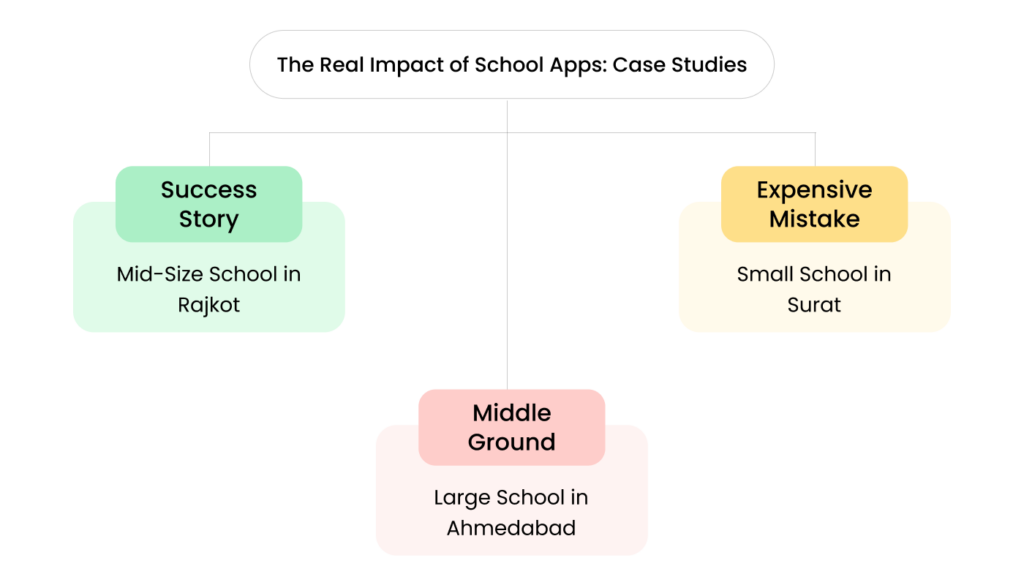
Success Story: Mid-Size School in Rajkot

  • The situation: 550 students, 40+ teachers, parents constantly calling office asking about attendance and fees.
  • What they did: Chose app with only three features: automated attendance alerts, fee balance checking, and school calendar. Nothing fancy.
  • Implementation cost: ₹1.2 lakhs first year

Results after one year:

  • Phone calls to office dropped 65%
  • Office staff could focus on helping students instead of answering routine questions
  • Parents rated school communication 8.5/10 (up from 6/10)
  • Teacher satisfaction improved because families were better informed
  • Why it worked:


They identified specific problems and chose features that directly solved those problems. No extras, no showing off.

Expensive Mistake: Small School in Surat

  • The situation: 180 students, principal felt pressure because nearby school launched fancy app with 15+ features.
  • What they did: Bought comprehensive app package with live bus tracking, virtual classrooms, AI homework help, photo galleries, online shop.
  • Implementation cost: ₹2.8 lakhs first year

What actually happened:

  • Only 30% of parents ever downloaded the app
  • Teachers refused to use virtual classroom feature (too complicated)
  • GPS tracking equipment never got installed properly
  • Photo galleries stayed empty because no staff had time to maintain them
  • Parents continued calling with questions because app was too confusing
  • By month 8: School stopped renewing subscription. Lost ₹2.8 lakhs with nothing to show for it.
  • Why it failed: Bought impressive features instead of useful ones. No clear problem being solved. Staff overwhelmed by complexity.

Middle Ground: Large School in Ahmedabad

  • The situation: 900 students, established institution wanting to modernize gradually without disrupting operations.

What they did:

  • Phase 1 (Year 1): SMS attendance system only (₹25,000)
  • Phase 2 (Year 2): Added online fee portal (₹40,000)
  • Phase 3 (Year 3): Launched simple app combining these features plus calendar (₹80,000 annually)
  • Total 3-year investment: ₹2.45 lakhs

Results:

  • Gradual adoption meant parents and staff weren’t overwhelmed
  • Could test what people actually used before committing to full app
  • By Year 3, everyone was comfortable with digital systems
  • Final app had high usage because it built on proven features
  • Why it worked: Patient, phased approach. Tested what worked before major investment. Built confidence gradually.

The Gujarat Context: What Works Here

Blog 11.The Gujarat Context What Works Here
Other Schools Have Apps – But Are They Really Worth the Money? 40

Gujarat schools have specific characteristics that affect app success. Understanding these helps you make better decisions.

Smartphone Penetration Reality

  • Urban Rajkot/Ahmedabad: 85-90% of parents have smartphones
  • Semi-urban areas: 70-80% have smartphones
  • Rural areas: 50-60% have smartphones
  • What this means: Even in urban areas, 10-15% of families won’t use your app. You still need backup communication methods (SMS, phone calls) for everyone.

Language Preferences Matter.

Many Gujarat parents prefer Gujarati communication. Apps that only work well in English will have lower adoption.

Questions to ask vendors:

  • Does the app support Gujarati language?
  • Can notifications go out in both English and Gujarati?
  • Is the interface intuitive enough that language barriers don’t matter?

Internet Connectivity Considerations

During monsoon season, internet connectivity can be unreliable in parts of Gujarat. Your app needs to work when connectivity is spotty.

Essential features:

  • App should work offline and sync when connection returns
  • SMS backup for critical notifications (attendance, emergencies)
  • Simple enough to load quickly on slow connections

Cultural Communication Patterns

Gujarat parents value personal interaction and community connections. Apps that feel too impersonal or corporate will struggle here.

What works better:

  • Warm, friendly language in notifications
  • Combination of app convenience with occasional personal touches
  • Technology that supports relationships rather than replacing them

Making Your Decision: A Practical Action Plan

Blog 11.Making Your Decision A Practical Action Plan
Other Schools Have Apps – But Are They Really Worth the Money? 41

If you’re still reading, you’re serious about making a smart choice. Here’s exactly what to do next.

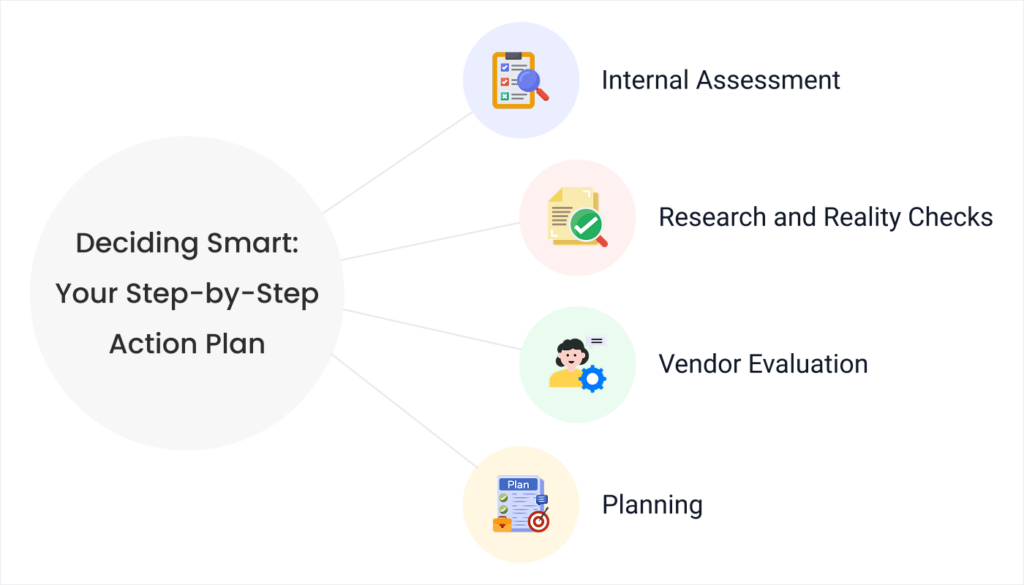
Week 1: Internal Assessment

Monday-Tuesday: Document current communication problems
Write down every parent inquiry, every administrative burden, every information gap for two full days.

Wednesday-Thursday: Staff feedback
Ask teachers and office staff: “What takes unnecessary time in our daily routine? What do parents ask about most? What frustrates you about current systems?”

Friday: Analysis
Look at your documentation. Do you see patterns? Are the problems significant enough to justify investment?

Week 2: Research and Reality Checks

Monday-Tuesday: Talk to schools using apps
Call 3-4 schools similar to yours. Ask about reality, not promotional claims. What works? What doesn’t? What do they wish they knew before starting?

Wednesday-Thursday: Explore alternatives
Research simpler solutions that might solve your specific problems without full app investment.

Friday: Budget assessment
Can you realistically afford ₹1-3 lakhs for this? What would you need to sacrifice or delay? Is it worth it?

Week 3: Vendor Evaluation (If Moving Forward)

Monday: Request demonstrations from 2-3 vendors
Insist on seeing actual school implementations, not polished demos with fake data.

Tuesday-Wednesday: Ask hard questions
Use the questions from the “Questions to Ask Vendors” section above. Note which vendors give honest answers versus vague promises.

Thursday: Check references
Talk to schools that have used each vendor for at least one year. Ask about surprises, challenges, and whether they’d choose the same vendor again.

Friday: Decision point
Based on everything you’ve learned, decide whether to proceed, choose a simpler alternative, or wait until your needs become clearer.

Week 4: Planning (If Proceeding)

Create implementation timeline:
When will you launch? How will you prepare staff? How will you educate parents?

Set success metrics:
How will you know if the app was worth it? Define specific, measurable goals.

Plan for challenges:
What’s your backup if technical problems occur? How will you support parents who struggle with the app?

The Question You Should Really Be Asking
It’s not “Should we get a school app?”

It’s “What communication problems are causing real pain for our parents, teachers, and staff – and what’s the simplest, most reliable way to solve them?”

Sometimes the answer is a carefully chosen app with limited features.


Sometimes the answer is a good SMS system and organized WhatsApp groups.


Sometimes the answer is improving your existing communication methods before adding new technology.

What Success Actually Looks Like

You’ll know your technology choices were right when:

  • Parents say: “I always know what’s happening at school” (not “Your app has so many cool features”)
  • Teachers say: “I have more time to focus on students” (not “I’m learning this complex new system”)
  • Your office staff says: “We get fewer routine questions” (not “We’re constantly troubleshooting technical problems”)
  • You say: “This was worth the investment” (not “Everyone else has one, so we had to get one too”)

Your Next Move

Blog 11.Your Next Move 1
Other Schools Have Apps – But Are They Really Worth the Money? 42

If after reading this guide, you’re still convinced your school needs an app – great. You’re making an informed decision based on real needs, not competitive pressure.

If you’re now thinking “Maybe we don’t need an app after all” – even better. You just saved yourself from a potentially expensive mistake.

If you’re somewhere in between – that’s the smartest position. You’re thinking carefully about what actually serves your school community versus what just looks impressive.

Whatever you decide, make sure it’s your decision based on your school’s actual needs, not someone else’s sales pitch or another school’s choices.

The goal isn’t to have the most impressive technology. The goal is to communicate effectively with families, run your school efficiently, and give teachers more time to focus on education.

Sometimes fancy apps help with that. Sometimes simpler solutions work better.

Only you can decide which is right for your school.


Need help sorting through app options or evaluating whether your school really needs one? We specialize in helping Gujarat schools make smart technology decisions based on their specific situations – not generic sales pitches.

Contact us for an honest consultation where we’ll help you figure out what actually makes sense for your school, your budget, and your community. No pressure to buy anything, just practical advice from people who understand Rajkot schools.

Categories
Insights for School Leaders

Parents Want Everything on WhatsApp But I’m Getting 200 Messages Daily

It’s 11:47 PM on a Tuesday night in Rajkot. My phone buzzes for the 247th time today.

“Ma’am, tomorrow school bus will come or not? Rain is there.”

I stare at the message, wondering if I should laugh or cry. This same question was asked by 15 other parents in the last hour. In three different WhatsApp groups. And tomorrow is a perfectly normal school day with light drizzle that hasn’t stopped Rajkot schools from functioning for the past 50 years.

Sound familiar?

If you’re running a school anywhere in Gujarat and dealing with Parents want everything on WhatsApp, you know exactly how I feel. What started as a simple way to stay connected has turned into a 24/7 message bombardment that’s driving school administrators to the edge of sanity.

Let me share the brutal truth about WhatsApp school communication – and more importantly, how we finally found a solution that keeps parents happy without destroying our peace of mind.

The WhatsApp Trap Every Gujarat School Falls Into

Blog 9. The WhatsApp Trap Every Gujarat School Falls Into
Parents Want Everything on WhatsApp But I'm Getting 200 Messages Daily 55

Three years ago, WhatsApp seemed like the perfect answer to parent communication. Free, instant, everyone already uses it. What could go wrong?

Everything.
How It Started vs. How It’s Going

  • Year 1: “Let’s create a WhatsApp group for important announcements!”
  • Year 3: 847 unread messages across 6 different groups, including a heated debate about whether samosas should be allowed in lunch boxes.

Here’s what actually happens when schools rely on WhatsApp for parent communication:

The Message Multiplication Disaster

One simple announcement becomes an avalanche:

  • You send: “Tomorrow is sports day. Students should wear white t-shirt and blue shorts.”
  • You receive: 47 individual questions asking the exact same thing you just announced
  • Plus: 23 messages asking about weather contingency plans
  • Plus: 15 parents asking if their child can wear different colored shorts
  • Plus: 12 people asking what time sports day starts (even though it was in the original message)

That one announcement just generated 97 additional messages that someone needs to read and respond to.

The “Important Message Buried Alive” Problem

  • Tuesday 2:30 PM: You send urgent message about early dismissal due to unexpected weather.
  • Tuesday 2:31 PM: Parent shares good morning message with dancing flowers.
  • Tuesday 2:32 PM: Another parent asks if anyone knows a good tuition teacher for math.
  • Tuesday 2:33 PM: Someone forwards a “health tips for children” message with 47 bullet points.
  • Tuesday 2:45 PM: Parent finally sees the early dismissal message buried under 23 irrelevant messages and panics.

The Multiple Group Confusion

Most schools end up with:

  • Main announcement group (500+ parents)
  • Class-wise groups (30-40 parents each)
  • Transport groups
  • Event organizing groups
  • Emergency contact groups

Result? Parents asking the same question in 4 different groups, and you answering it 4 different times.

The Midnight Message Madness

Here are actual messages I received between 10 PM and 6 AM last month:

“Ma’am, my son has fever. Should I send him tomorrow or keep at home?” (11:23 PM)

“Tomorrow math test is there? My daughter is asking.” (12:47 AM)

“Good morning ma’am. Yesterday my child forgot water bottle in class. Where I can collect?” (5:15 AM)

WhatsApp created this expectation that school staff should be available 24/7. Parents genuinely don’t realize they’re messaging you at midnight because WhatsApp feels so casual and immediate.

Why Parents Love WhatsApp (And Why We Can’t Just Ban It)

Blog 9. Why Parents Love WhatsApp And Why We Cant Just Ban It
Parents Want Everything on WhatsApp But I'm Getting 200 Messages Daily 56

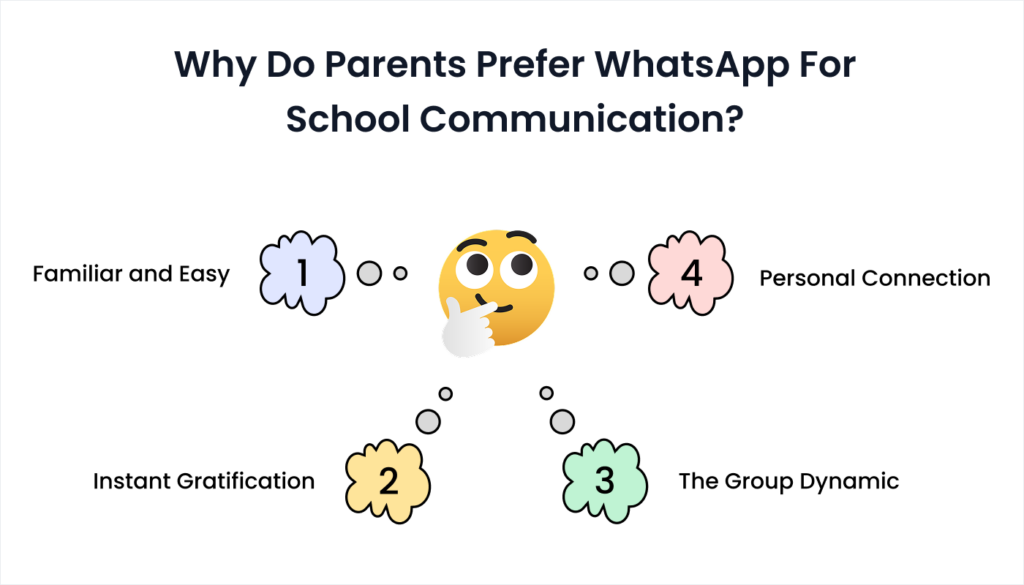
Before I share our solution, let’s be honest about why parents gravitate toward WhatsApp communication:

It’s Familiar and Easy

Every parent in Rajkot knows how to use WhatsApp. They don’t need training, app downloads, or password management. They can send a voice message in Gujarati while cooking dinner, and it feels natural.

Instant Gratification

Modern parents want immediate answers. When little Krish forgets his lunch money, Mom wants to know RIGHT NOW if she should rush to school or if he can manage without it.

The Group Dynamic

Parents feel connected to the school community through WhatsApp groups. They see other families’ concerns, share solutions, and feel involved in their child’s school experience.

Personal Connection

WhatsApp feels personal. Parents can send a quick “thank you” message or share a happy photo of their child in the school uniform. It builds relationships in ways formal communication channels don’t.

Parents want everything on WhatsApp – The real problem is not WhatsApp, but the organization

After analyzing thousands of messages, I realized parents don’t actually want to overwhelm us. They just want:

  • Quick answers to simple questions
  • Confidence that important information won’t get missed
  • A way to reach the school when needed
  • To feel connected to their child’s school community

The problem is that WhatsApp groups create disorder instead of organized communication.

What We Tried (And Why It Failed)

Blog 9. What We Tried And Why It Failed
Parents Want Everything on WhatsApp But I'm Getting 200 Messages Daily 57

Before finding our current solution, we attempted several approaches that seemed logical but fell flat in practice:

Attempt #1: WhatsApp Group Rules

What we did: Created detailed group rules posted in every WhatsApp group.

The rules:

  • No personal conversations in group
  • Only school-related messages
  • No forwarding of non-school content
  • Questions should be asked privately to admin
  • No messages after 8 PM or before 8 AM

What happened: Rules got ignored within a week. Parents either forgot or felt the rules were too strict for a “friendly” WhatsApp environment.

Attempt #2: Broadcast Lists Instead of Groups

What we did: Switched to WhatsApp broadcast lists to send one-way announcements.

The problem: Parents couldn’t see who else received the message, felt disconnected from the community, and started calling the office directly instead of messaging.
Attempt #3: Designated WhatsApp Hours

What we did: Announced that WhatsApp responses would only be given between 9 AM – 5 PM.

What happened: Parents continued sending messages at all hours, then got frustrated when they didn’t receive immediate responses. Emergency situations became unclear because parents couldn’t distinguish between urgent and routine matters.

The Solution That Actually Works Helps Us with School Communication Overload

Blog 9. Technology Solutions That Actually Work for Gujarat Schools
Parents Want Everything on WhatsApp But I'm Getting 200 Messages Daily 58

After two years of WhatsApp in that School Communication Overload, so we discovered something that satisfied both parents’ communication preferences and our sanity: organized digital communication tools for schools that feels as personal as WhatsApp but works like professional school management.

The Hybrid Approach

We didn’t eliminate WhatsApp entirely – that would have caused a parent rebellion. Instead, we created a system where:

  • WhatsApp remains for genuine emergencies and community building
  • Structured digital communication handles routine information and queries
  • Automatic systems answer the most common questions instantly

How It Works in Practice

Automatic Daily Updates:
Instead of parents asking “Did my child reach school safely?” we now send automatic attendance confirmations. Parents receive a simple message: “Aarush marked present at 8:15 AM” without anyone needing to respond to individual queries.

Self-Service Information:
Parents can check common information instantly:

  • Exam schedules and results
  • Fee payment status
  • Holiday calendar
  • Homework assignments
  • School event updates

Smart Communication Routing:
Different types of messages go to appropriate places:

  • Administrative questions → Handled by system or office staff during working hours
  • Academic concerns → Routed to relevant teachers
  • Health emergencies → Direct to principal/nurse immediately
  • General discussions → Optional WhatsApp groups for parents who want community interaction

The Results After 8 Months

The change has been dramatic:

  • WhatsApp messages to school staff: Down from 200+ daily to 15-20
  • Response time for genuine emergencies: Improved from hours to minutes
  • Parent satisfaction: Increased because they get faster, more accurate information
  • Staff stress levels: Significantly reduced
  • Important information getting lost: Virtually eliminated

Unexpected Benefits

  • Better Emergency Response: When genuine emergencies occur, we notice them immediately because they’re not buried under 150 routine messages about lunch boxes and water bottles.
  • Improved Parent Relationships: Counter-intuitively, when parents get reliable information through organized channels, our WhatsApp interactions become warmer and more positive. Instead of frustrated questions, we receive thank you messages and community support.
  • Teachers Can Actually Teach: Our teachers report spending 90% less time answering repetitive parent questions, giving them more time for lesson planning and individual student attention.

How We Managed the Change Without Parent Revolt

Blog 9. How We Managed the Change Without Parent Revolt
Parents Want Everything on WhatsApp But I'm Getting 200 Messages Daily 59

The key to successful implementation was making parents feel like they were gaining better service, not losing their preferred communication method.

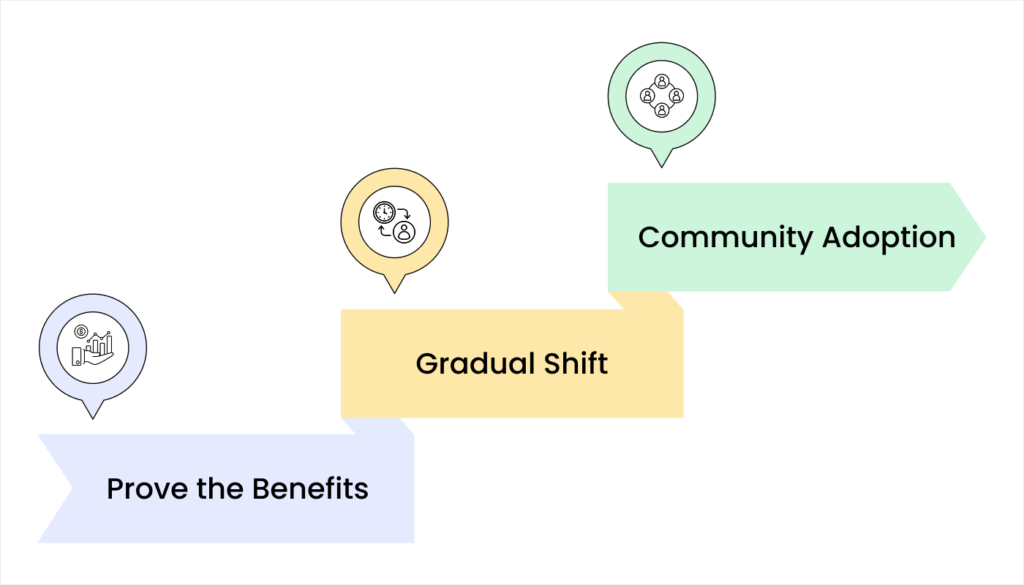
Phase 1: Prove the Benefits (Month 1-2)

  • Start with what parents want most: We began by providing automatic attendance updates and instant fee balance checking. Parents immediately saw the value of getting information without having to ask for it.

  • Keep WhatsApp for positives: We continued using WhatsApp for sharing good news, celebrating achievements, and community building. This maintained the emotional connection parents valued.
Phase 2: Gradual Shift (Month 3-4)

  • Redirect gently: When parents asked routine questions in WhatsApp, we’d respond: “Great question! You can check this anytime at [link/app]. I’ve also sent the answer there so you have it whenever you need it.”
  • Show, don’t tell: Instead of explaining why the new system was better, we demonstrated it by providing faster, more accurate responses through the organized channels.

Phase 3: Community Adoption (Month 5-6)

  • Parent advocates: Early adopters became advocates, sharing their positive experiences with other parents. When Mrs. Sharma could check her daughter’s exam results instantly at 11 PM without messaging the school, she told other parents how convenient it was.
  • Peer pressure (positive): As more parents adapted to the organized system, others naturally followed to avoid feeling left out or outdated.

Common Concerns and How We Addressed Them

Blog 9. Common Concerns and How We Addressed Them
Parents Want Everything on WhatsApp But I'm Getting 200 Messages Daily 60

“But WhatsApp is So Easy!”

  • Parent concern: “I don’t want to learn new apps or systems. WhatsApp is simple.”
  • Our approach: We made the organized system even easier than WhatsApp. Parents receive information automatically without having to ask, and checking school information requires fewer steps than finding relevant messages in busy WhatsApp groups.

“Will You Still Care About My Individual Child?”

  • Parent concern: “Digital systems feel impersonal. I want teachers to know my child personally.”
  • Our solution: Organized communication actually enables more personalized attention. When teachers aren’t spending time answering routine questions, they can focus on meaningful interactions with individual students and families.

“What About Emergencies?”

  • Parent concern: “What if I need to reach the school urgently?”
  • Our system: True emergencies (health issues, family crises, safety concerns) still get immediate personal attention. The difference is that genuine emergencies are now visible and handled promptly because they’re not buried under routine communications.

Practical Steps to Reduce Your WhatsApp Overload

Blog 9. Practical Steps to Reduce Your WhatsApp Overload
Parents Want Everything on WhatsApp But I'm Getting 200 Messages Daily 61

If you’re drowning in WhatsApp messages and ready for change, here’s how to start changing your school’s communication:

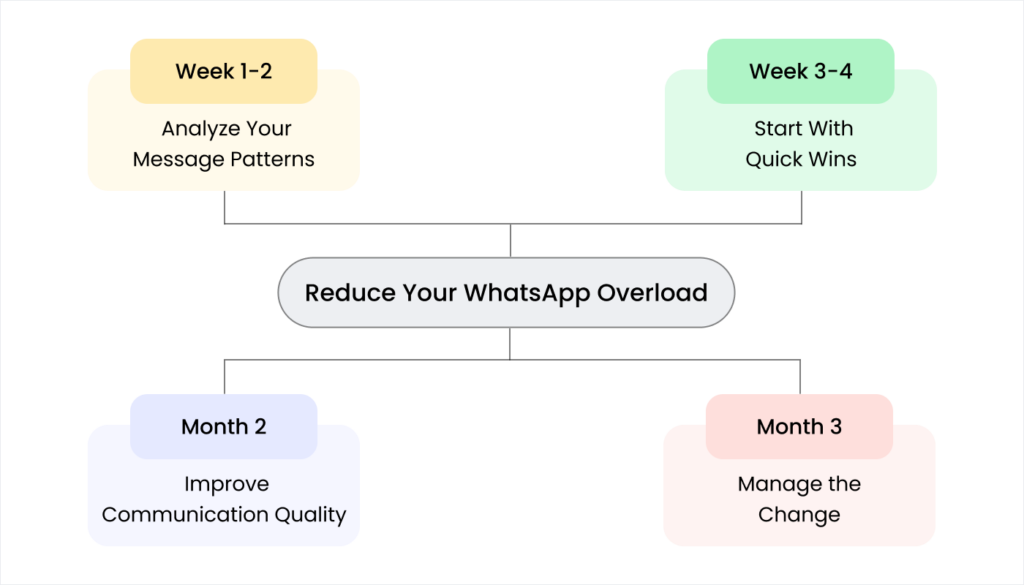
Week 1-2: Analyze Your Message Patterns

Track your questions:
For one week, categorize every WhatsApp message you receive:

  • Routine information requests (attendance, fees, schedules) – Usually 60-70%
  • Clarification questions (about announcements already sent) – Usually 20-25%
  • Administrative issues (forms, procedures, deadlines) – Usually 10-15%
  • Genuine emergencies or personal concerns – Usually 5-10%

Identify automation opportunities:
The routine information requests are perfect candidates for automated responses or self-service options.

Week 3-4: Start With Quick Wins

Implement automatic attendance notifications:
This single change can reduce 30-40% of your daily WhatsApp messages. Parents stop asking “Did my child reach school?” because they already know.

Create easy information access:
Set up simple ways for parents to check common information themselves:

  • Fee payment status and history
  • School calendar and holidays
  • Exam schedules and results
  • Homework assignments

Month 2: Improve Communication Quality

  • Send proactive updates: Instead of waiting for parents to ask questions, send comprehensive information proactively. When announcing sports day, include timing, dress code, weather contingency plans, and parent attendance details in the first message.
  • Create communication templates: Develop standard responses for common questions. This ensures consistent information and saves time.

Month 3: Manage the Change

  • Gentle redirection: When parents ask questions that can be answered through organized channels, respond helpfully while guiding them to the better method.
  • Celebrate successes: Share positive feedback from parents who appreciate the improved communication system.

Addressing the “But My School Is Different” Objections

Blog 9. Addressing the But My School Is Different Objections
Parents Want Everything on WhatsApp But I'm Getting 200 Messages Daily 62

“My Parents Are Not Tech-Savvy”

  • Reality check: Parents who use WhatsApp daily can definitely use simple school communication tools. The key is choosing systems that are actually simpler than managing multiple WhatsApp groups.
  • Gradual approach: Start with basic SMS updates for less tech-savvy parents while offering app-based options for others.

“We’re Too Small for Fancy Systems”

  • Truth: Small schools often benefit most from organized communication because every parent relationship matters more.
  • Scalable solutions: Many systems are designed specifically for smaller Gujarat schools with affordable pricing and simple implementation.

“Parents Will Resist Change”

  • Experience shows: Parents resist change that makes their lives harder. They embrace changes that provide better, faster, more reliable information about their children.
  • The secret: Implement improvements alongside WhatsApp initially, then gradually shift as parents see the benefits.

Your Action Plan: From Disorder to Organized Communication

Blog 9. Your Action Plan From Disorder to Organized Communication
Parents Want Everything on WhatsApp But I'm Getting 200 Messages Daily 63

Ready to reclaim your peace of mind and provide better service to parents? Here’s your step-by-step action plan:

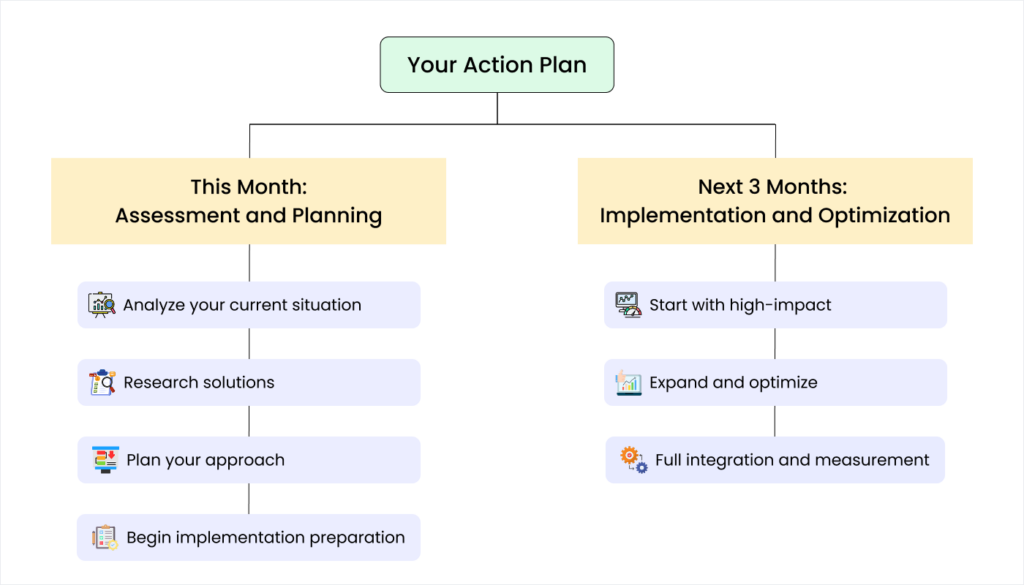
This Month: Assessment and Planning

Week 1: Analyze your current situation

  • Track WhatsApp messages for one week by category
  • Identify the most common questions and requests
  • Calculate time spent on WhatsApp communication daily
  • Survey 10-15 parents about their communication preferences

Week 2: Research solutions

  • Explore school management systems designed for Gujarat schools
  • Visit or call 2-3 schools that have implemented organized communication
  • Calculate your current hidden costs of communication disorder
  • Set realistic budget for communication improvements

Week 3: Plan your approach

  • Decide which communication areas to tackle first
  • Prepare staff for upcoming changes
  • Create communication strategy for parents
  • Set timeline for implementation

Week 4: Begin implementation preparation

  • Select vendors for trials or demonstrations
  • Plan training schedule for staff
  • Prepare parent education materials
  • Set success metrics to track improvement

Next 3 Months: Implementation and Optimization

Month 1: Start with high-impact, low-risk changes

  • Implement automatic attendance updates
  • Create simple fee checking system
  • Begin redirecting routine questions to organized channels
  • Maintain WhatsApp for community and emergency communication

Month 2: Expand and optimize

  • Add more self-service information options
  • Train parents on new communication methods
  • Gather feedback and make adjustments
  • Celebrate early successes with staff and parents

Month 3: Full integration and measurement

  • Complete system implementation
  • Measure results against initial goals
  • Refine processes based on experience
  • Plan next phase improvements

Conclusion: Your School’s Communication Future

Blog 9. Conclusion Your Schools Communication Future
Parents Want Everything on WhatsApp But I'm Getting 200 Messages Daily 64

Six months ago, I was drowning in 200+ WhatsApp messages daily, staying up until midnight answering the same questions over and over, and watching important information get lost in the noise.

Today, I receive 15-20 meaningful WhatsApp messages daily. Parents get better information faster. Teachers focus on teaching instead of message management. Our school feels more organized and professional.

The change didn’t happen overnight, and it wasn’t about replacing human connection with cold technology. It was about organizing communication so that personal interactions become more meaningful and effective.

What Success Really Looks Like

Success isn’t about eliminating all WhatsApp communication. It’s about:

  • Making routine information automatic so parents don’t need to ask
  • Creating clear channels for different types of communication
  • Maintaining personal connections while eliminating communication disorder
  • Giving parents better service with less stress for school staff

Your school can achieve this change. The technology exists, the process is proven, and other Gujarat schools are already benefiting from organized communication.

The question isn’t whether you should improve your school’s communication systems – it’s how quickly you can start.

Ready to Fix Your School’s Communication?

Blog 9. Ready to Fix Your Schools Communication
Parents Want Everything on WhatsApp But I'm Getting 200 Messages Daily 65

Don’t spend another month drowning in WhatsApp message disorder while parents get frustrated with slow, inconsistent information.

We specialize in helping Gujarat schools move from communication confusion to organized, efficient parent engagement that actually improves relationships.

Contact us today for a personalized consultation about:

  • Analyzing your current communication costs and challenges
  • Designing systems that match your school’s unique needs
  • Planning smooth implementation without parent resistance
  • Training your team for successful adoption
  • Measuring results and optimizing performance

Your peace of mind, your parents’ satisfaction, and your school’s professional reputation are worth the investment in better communication systems.

Call us or visit our website to schedule your free communication assessment. Let’s turn your WhatsApp nightmare into organized, effective parent engagement that everyone appreciates.


Finally, sleep peacefully knowing your school’s communication is working for everyone, not against you.

Table of Contents

five-rating-star 4.9 5000 Total Reviews

Join Our Inner Circle for Special Perks

A free guide/ebook on educational strategies or technology integration
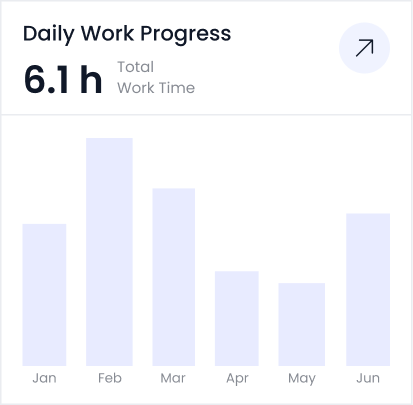
attedance report daily work progress